BizTalk360 automatically adds the ESB Reports to the Dashboard under the ESB Portal. The dashboard contains widgets that query the data out of the database and display the details in a graphical view. There are 13 pre-configured widgets that help to understand the ESB integrations better and help in analyzing the data to improve the performance. You can add any widget to the dashboard, and then customize the dashboard based on your priority. BizTalk360 allows the user to customize the metric and legend name of the selected widget in the ESB Dashboard. The pre-configured widgets are classified under three major sections
Fault Count Widgets
ESB Resubmission
ESB Itineraries
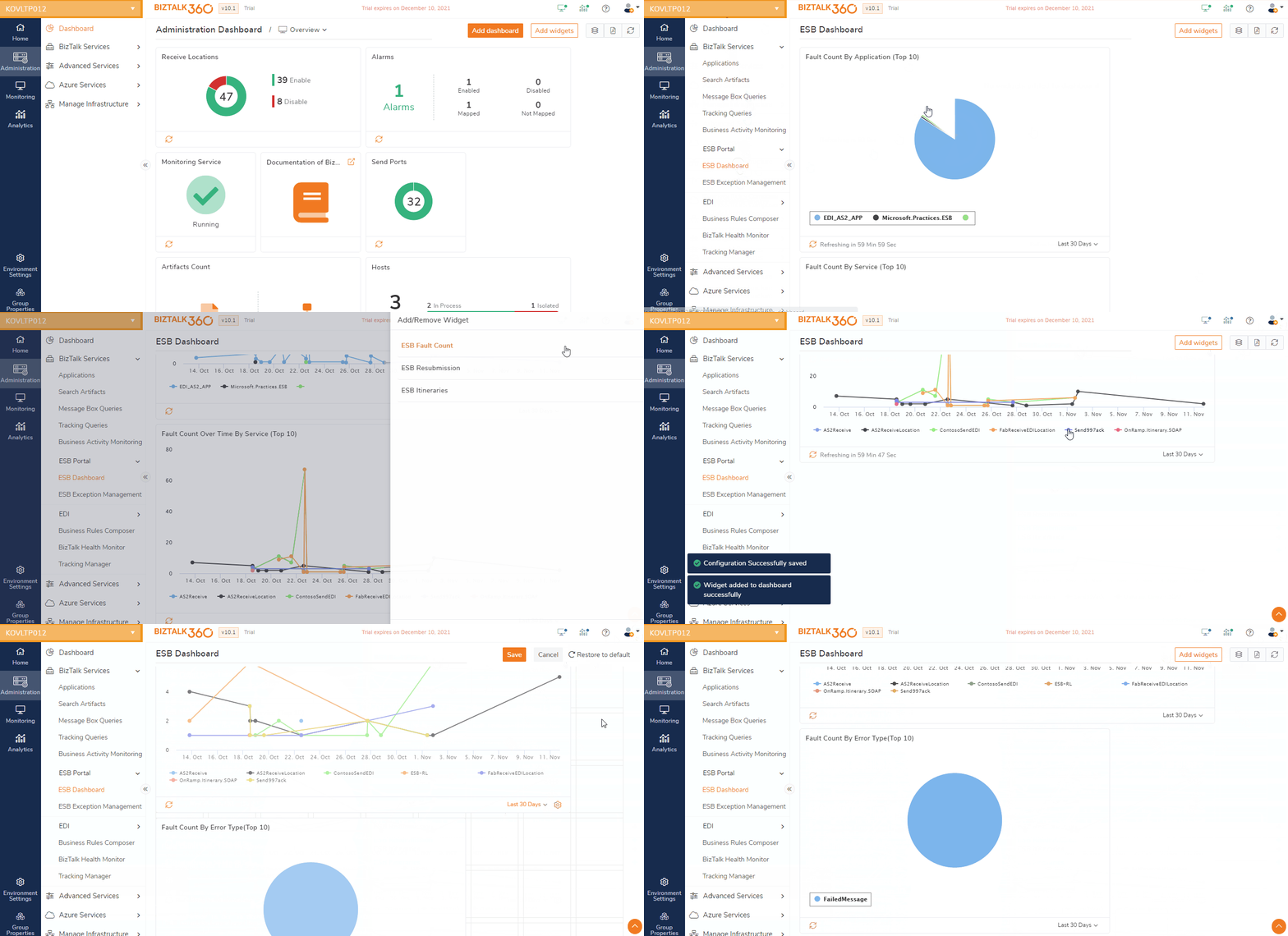
Fault Count Widgets
The Fault count widgets are used to query the BAM database and identify the number of faults/exceptions that have occurred in the ESB Integrations. There will be multiple widgets that will display the data based on application, service, or error type. These will help to identify the most troublesome applications or services in the integration and will help to choose and prioritize for future improvements. The below widgets are preconfigured under Fault Count Widgets.
Widget Name | Default Size | Size Customization Options |
|---|---|---|
Fault Count By Application | Hero Wide | Wide |
Fault Count By Error Type | Hero Wide | Wide |
Fault Count By Service | Hero Wide | Wide |
Fault Count Over Time By Application | Super Wide | Hero Wide |
Fault Count Over Time By Service | Super Wide | Hero Wide |
Fault Count By Error Type For Application | Hero Tall | Tall |
Fault Count By Over Time By Service For Application | Super Tall | Hero Tall |
ESB Resubmission
The ESB Resubmission widgets will display information about faults, resubmission and execution times, which will help to understand and monitor the current state of the integrations. The information will provide a clear understanding if the number of errors has increased or decreased over time and even give an idea of what caused the improvement or deterioration in the performance of the applications. The below widgets are preconfigured under ESB Resubmission:
Widget Name | Default Size | Size Customisation Options |
|---|---|---|
Resubmission Over Time By Application | Super Wide | Hero Wide |
Resubmission Over Time By Service | Super Wide | Hero Wide |
Itinerary Widgets
The Itinerary widgets will give the user more insight into the logic and help to analyze long-running itineraries, which service is causing the slow-down, which itineraries and currently being executed and how many itineraries have been processed in the recent days. The user can also be able to understand what are the execution times of the itineraries. The below widgets are preconfigured under Itinerary widgets:
BAM primary import database should be configured in your BizTalk environment to populate the ESB Itinerary data in the below-mentioned widgets.
Widget Name | Default Size | Size Customization Options |
|---|---|---|
Itinerary Execution Times | Super Wide | Hero Wide |
Running Itineraries | Super Wide | Hero Wide |
Running Itinerary Services | Super Wide | Hero Wide |
Processed Itineraries | Hero Wide | Wide |