You might face a situation like an alarm was violated, but no alerts have been triggered. All alarms are working fine by sending emails and even that particular alarm was working for a couple of days.
The first and foremost thing you need to check, is the number of notification being sent for that particular alarm.
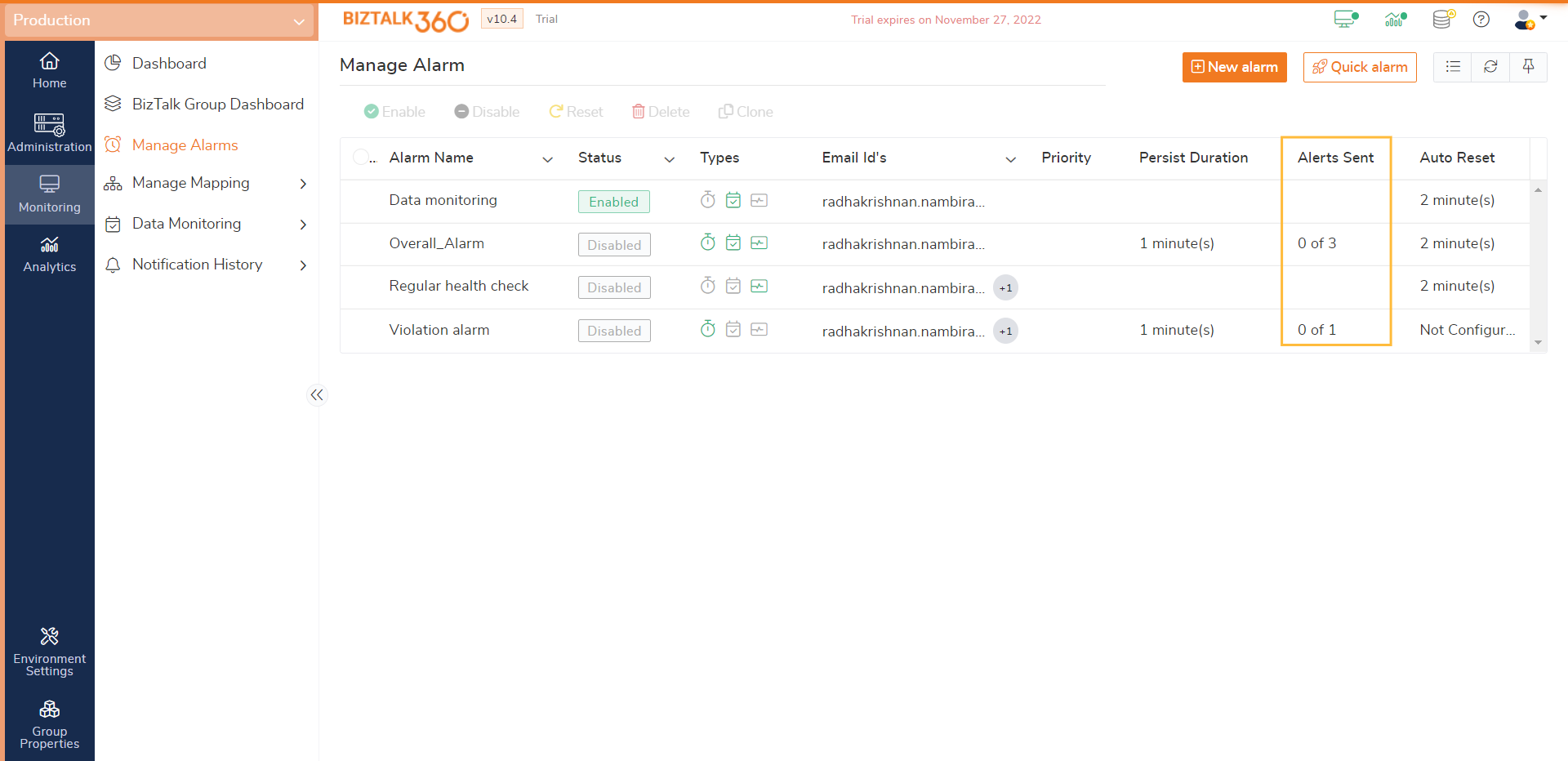
While creating an alarm, you will configure the limit number of alerts for a violation. Based on the configuration, Down and Up alerts will be triggered.
When the violation occurs, the Down alert emails will be triggered based on the configuration. If it reached the maximum limit, it stops sending the alerts and it will not trigger emails for the new violations.
To resolve this, you have a couple of options:
You need to rectify the problem, so that the problem will be resolved and the Up alert email will be sent. Also, the Notification Sent will be reset back to 0.
You can Reset the alarm so that the Notification sent will be reset back to 0.
