When you configured a Message Box Data Monitoring for Terminating Suspended Service Instances, you may see this Failure report in Data Monitoring Dashboard as well as failure alert in email.
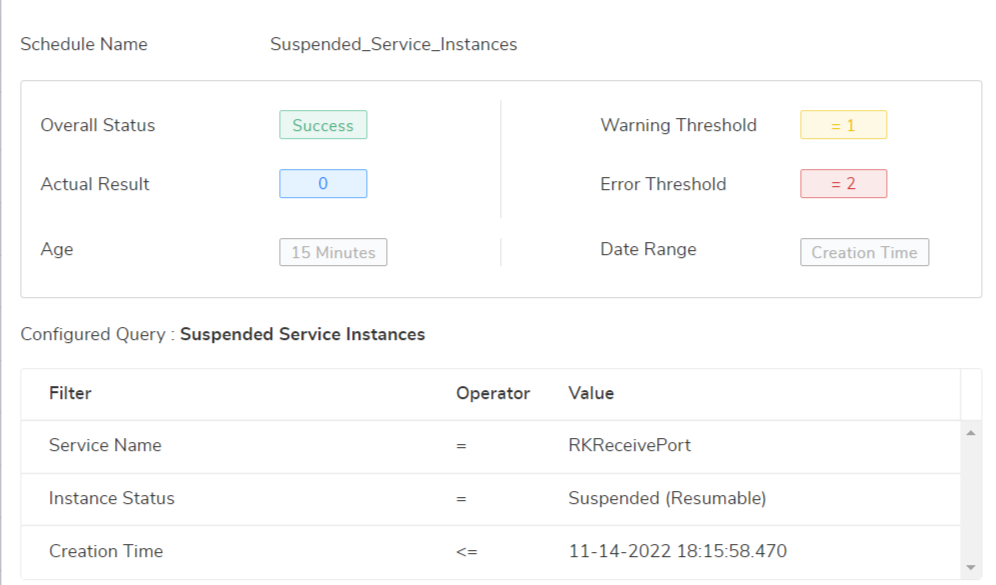
The Overall status will be shown as failure, due to the Message Box Data monitoring configuration, based upon "Set the Notification condition". If you have set the condition, that when it has reached above "20", an Error alert should be triggered. That's the reason for receiving "Failure alert", but the Action taken is success.
Overall Status - Displays either Success, Failure (Error) or Warning depending on the status of data monitoring execution.
For more detail, you can find the articles below.
To understand Message Box Data Monitoring Email Notifications,
For In-Depth Look At Message Box Data Monitoring Dashboard,
http://assist.biztalk360.com/support/solutions/articles/1000219024-in-depth-look-at-message-box-data-monitoring-dashboard
For Archive And Terminate Service Instances,
https://docs.biztalk360.com/docs/biztalk-message-box#archive-and-terminate-suspended-service-instances