While you are trying to add a new environment in BizTalk360, and if you come across below message:
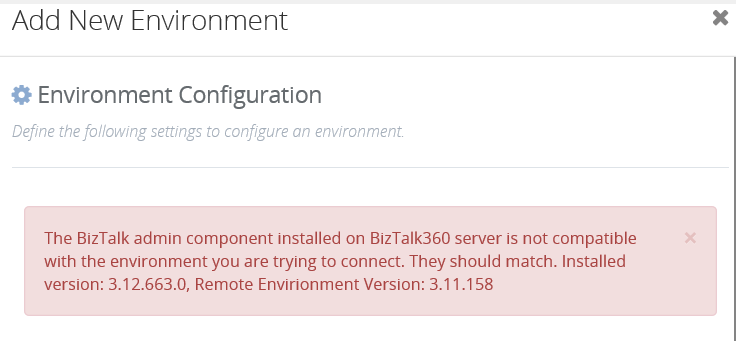
The reason it occurs is because the installed BizTalk server components version was mismatched with the configured BizTalk360.
Please check the following points:
For instance, you need to monitor an environment from a non -BizTalk machine, where you would have installed BizTalk components alone. In this situation, you might have faced the below scenarios:
Scenario 1: You would have changed the installed version of BizTalk Server. Before it might have been BizTalk 2016 and now it was changed to BizTalk 2020 in the already configured BizTalk360 machine.
Suggestion: Please remember you should install the latest BizTalk components in the stand-alone machine.
So, even after installing latest components, if you face the same compatibility problem again, you have to cross verify the BizTalk version available in BizTalk360 Database for couple of tables as follows and update the version in both the tables:
 1.b360_admin_BizTalkEnvironment - Column name " BizTalkVersion"
 2.b360_admin_GlobalProperties - Column name " MS_BIZTALK_VERSION - Setting Value"
Scenario 2: You would have already installed the proper BizTalk components and the BizTalk360 database would also have the correct BizTalk version. But, even though you face the "compatibility error" as mentioned above, eg. you have installed BizTalk 2013 and its components and are trying to add new environment (BizTalk 2013 R2) for monitoring.
Suggestion: You cannot monitor different versions of BizTalk server in one instance of BizTalk360. With BizTalk360 you can manage multiple BizTalk environments from a single installation as long as all the environments are running on the same version of BizTalk server.
If you want to manage different versions of BizTalk Server, then you need to install BizTalk360 multiple times. Example: One for managing BizTalk 2013 version and one for managing BizTalk 2013 R2 version. There are no licensing implications, we allow customers to install it this way. The only draw back is you need to remember two or more URL's.
You do not need a dedicated server for BizTalk360 all the time. You can actually install it in one of your existing BizTalk environments. In fact, you can install it in your QA environment and include your production environment in the same installation (or vice versa).
Refer to the following blog for more information: https://blogs.biztalk360.com/monitoring-multiple-version-biztalk-environments-biztalk360/