If you are getting an error while trying to add a new environment as below, in spite of having the BizTalk server environment and the BizTalk360 Admin components of the same version:
BizTalk admin component installed on BizTalk360 server is not compatible ..
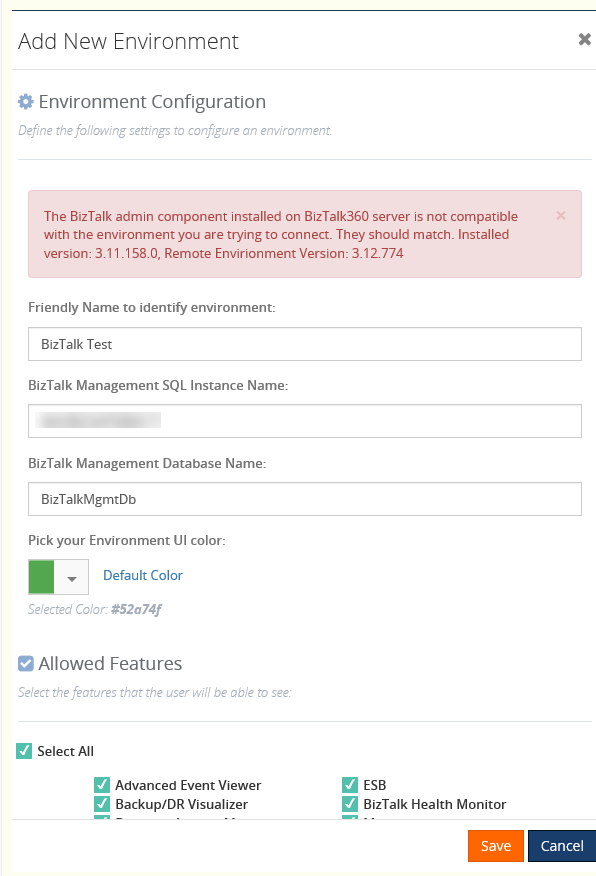
The problem is the BizTalk360 database was not updated when the BizTalk server components were upgraded.
The resolution is to manually update the BizTalk360 tables to have the BizTalk version to reflect the new BizTalk server components which were installed.
To make sure, you need to login to the BizTalk admin console on the BT360 server and check the version matches with that of the BizTalk environment admin console version you are going to add.
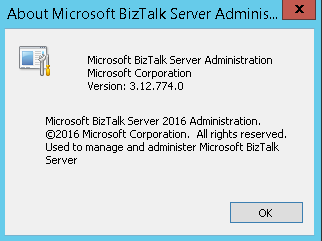
The below tables need to have the BizTalk version changed appropriately and the MS_BizTalk_install_location can be updated.
b360_admin_BizTalkEnvironment -> BizTalk Version
b360_admin_GlobalProperties -> MS_BIZTALK_VERSION & MS_BIZTALK_INSTALL_LOCATION
Steps for upgrading your BizTalk Server are as follows:
Take a backup of BizTalk360 database
Deactivate license
Upgrade BizTalk Server to new version
Change the admin component installed on BizTalk360 server to match that of the new BizTalk version
Update the values in the database as shown above
Activate BT360 license