You may encounter an error as shown below while accessing the application:
Retrieving the COM class factory for component with CLSID failed due to the following error: 800703fa Illegal operation attempted on a registry key that has been marked for deletion. (Exception from HRESULT: 0x800703FA)
Cause of the problem:
This issue occurs when you have BizTalk360 configured to run as a specific user. When you log off from the application, the application cannot read the registry keys in the user profile as the user profile gets unloaded. This is an inbuilt Windows functionality.
Solution:
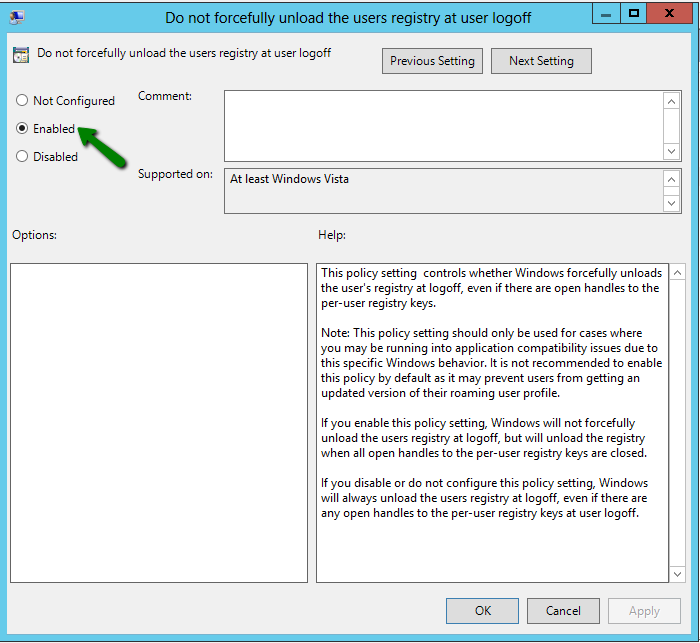
The workaround for this problem is to disable the user profile getting unloaded when you log off from the application. You need to enable the policy setting 'Do not forcefully unload the user registry at user logoff''. By doing this, Windows does not unload the registry and waits until it confirms no other processes are using the user registry.
You will find the policy setting under Group Policy Editor (gpedit.msc). Select 'Computer Configuration' --> 'Administrative Templates' --> 'System' --> 'User Profiles' and select 'Do not forcefully unload the user registry at user logoff' setting.
You must reset IIS after performing the above steps.
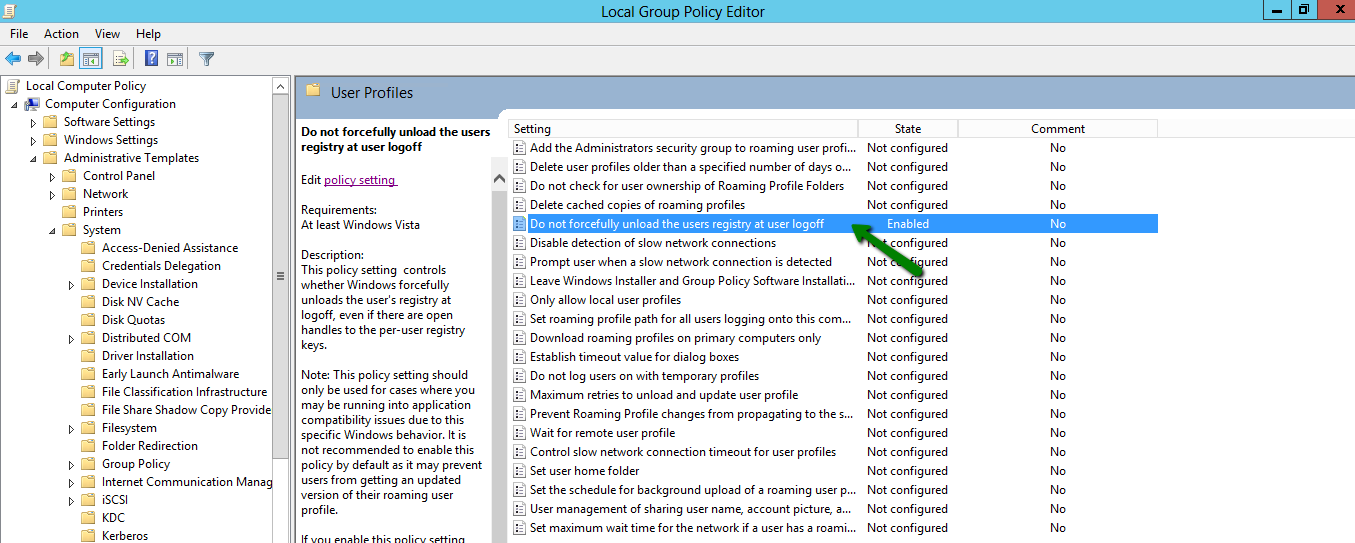
Select 'Edit Policy Setting' link and change the setting from 'Not Configured' to 'Enabled'. By making this change, 'DisableForceUnload' value is added to the registry.
In addition to the above solution, as a standard procedure, you also need to Reset IIS on BizTalk360 machine to recover from this issue.