BizTalk360 supports HTTPS, allowing you to secure communication between users' browsers and the BizTalk360 web application.
To deploy BizTalk360 over HTTPS, you must first configure SSL/TLS in Internet Information Services (IIS).
Note: Before making changes to IIS or the BizTalk360 configuration, consult your IIS administrator. Incorrect configuration changes may affect other websites and applications hosted on the same IIS server.
Steps to Enable SSL/HTTPS for BizTalk360
1. Configure SSL in IIS
Before enabling HTTPS for BizTalk360, ensure that SSL is configured correctly in IIS and that a valid server certificate is installed and bound to the website.
For instructions on configuring SSL in IIS, refer to the following Microsoft documentation: How to Set Up SSL on IIS
Once SSL is configured successfully, proceed with the following steps to enable HTTPS in BizTalk360.
2. Update the Web.config File
Navigate to the BizTalk360 installation directory:
C:\Program Files (x86)\Kovai Ltd\BizTalk360\WebNote: The installation path may vary depending on your environment.
Open the
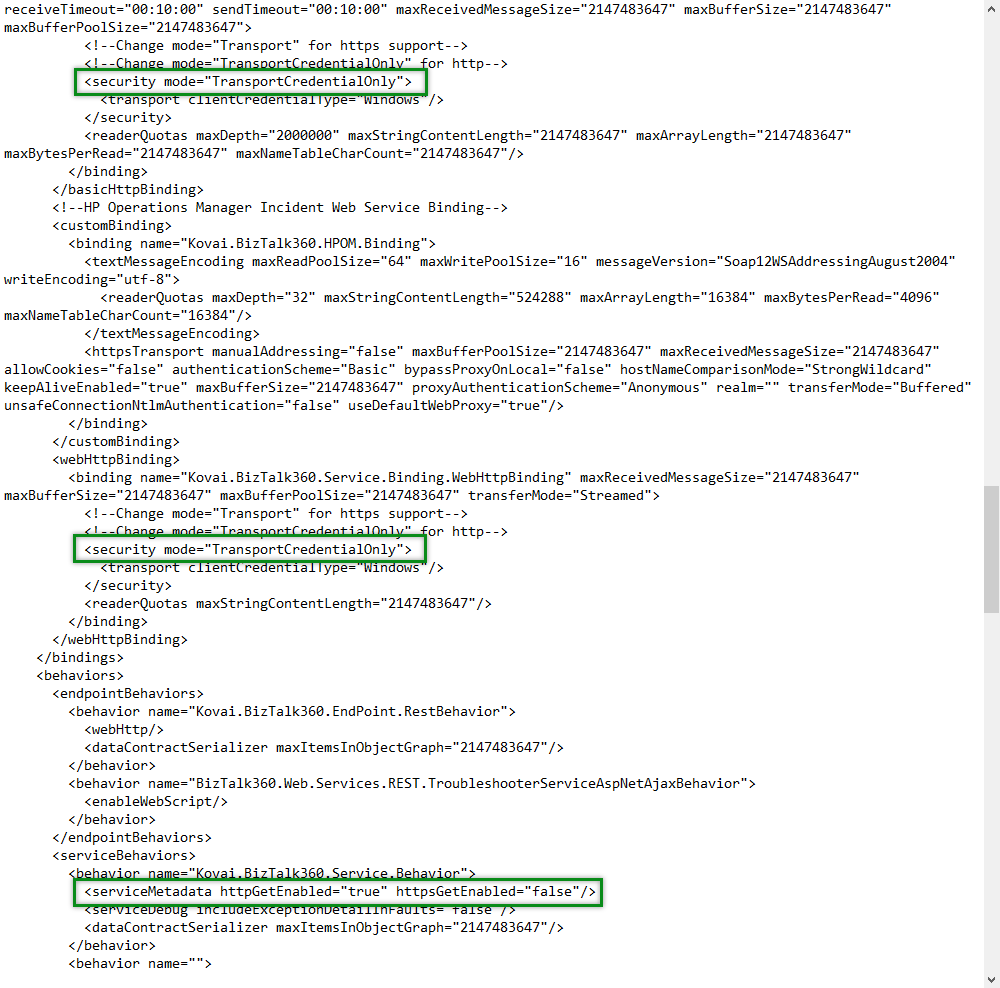
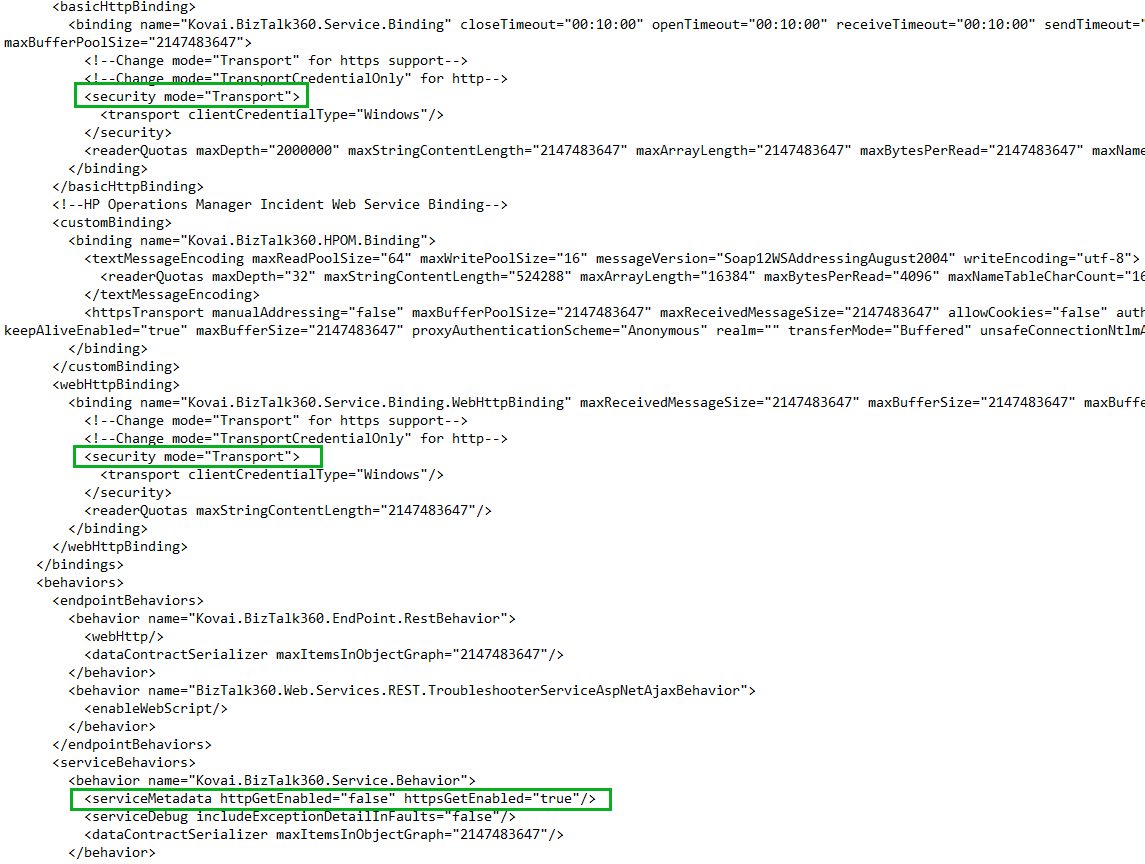
Web.configfile with the appropriate administrative permissions.Update the security mode for the basicHttpBinding configuration.
Update the security mode for the webHttpBinding configuration.
Enable HTTPS for the serviceMetaData configuration.
Refer to the screenshots below to identify the configuration settings that need to be modified.
Before the changes:
After the changes:
Important: Back up the relevant registry keys and the
Web.configfile before making changes. Ensure that the HTTPS binding in IIS uses the correct certificate and port.
3. Update the BizTalk360 Registry Settings
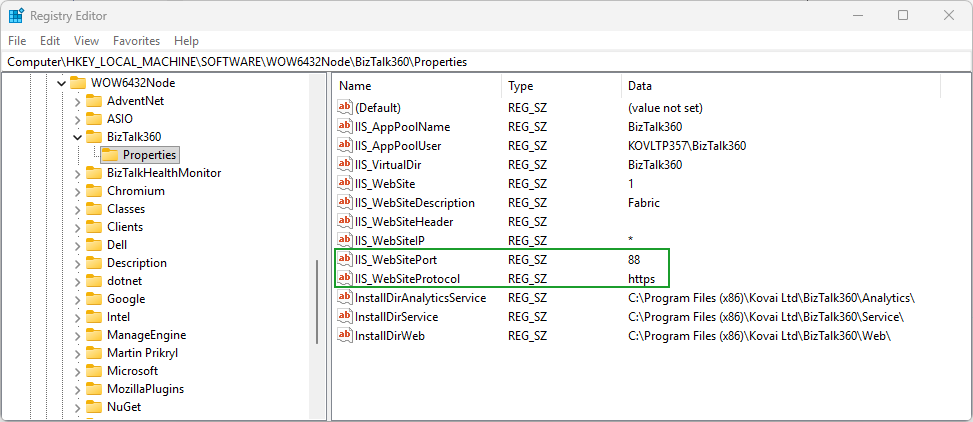
After updating the Web.config file, update the BizTalk360 registry settings to reflect the HTTPS configuration. Navigate to the following registry path:
HKEY_LOCAL_MACHINE\SOFTWARE\Wow6432Node\BizTalk360\Properties
Update the following registry values:
Registry value | Previous value | New value |
|---|---|---|
|
|
|
|
|
|
Refer to the screenshot below for the registry configuration.
After updating the configuration and registry settings, restart IIS or recycle the BizTalk360 application pool to take effect.