Automated Task is a process to take action on the BizTalk environment (Applications, Artifacts, Host Instances) at the scheduled time or manual trigger. With this, you can efficiently automate most of the BizTalk Administrator routine or planned operations in the BizTalk environment.
Many enterprises will schedule server maintenance for various reasons say, the system administrator may push security patches or other system updates to the BizTalk server, during the disaster recovery phase or when BizTalk Application deployment happens. During this maintenance phase, many BizTalk components need to bring down and after the maintenance, the components must be up and running for a successful business transaction. In this case, the administrator needs to manually stop and start all the components such as Send Ports, Receive Locations, Orchestration, and Host Instances.
This process can be easily automated using the "Automated Task " feature in BizTalk360 by mapping the required BizTalk Application Artifacts that need to be started/Stopped in the Task configuration and scheduling the execution time.
The automated task can be configured to perform operations on the below,
Workflows
Configuring an Automated Task is specific for each BizTalk Resource, which is briefly explained in the upcoming articles.
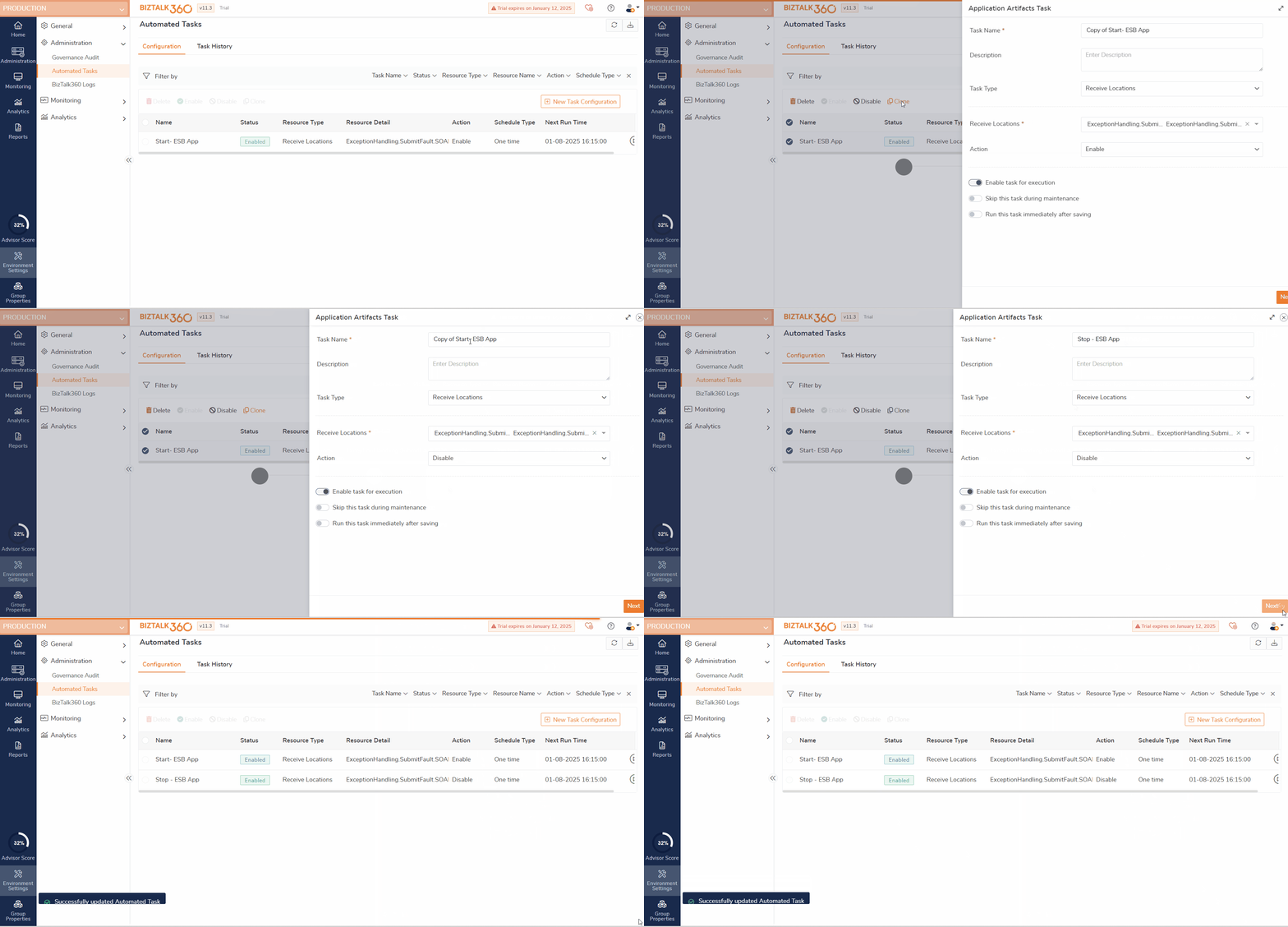
Clone Automated Tasks
As the need for automating several tasks grows, cloning automated tasks makes it easier to scale a user's automation setup. Instead of recreating each task manually, users can simply clone existing tasks, saving time and effort.
When managing multiple environments (e.g., development, staging, production), cloning automated tasks enables users to quickly create similar task configurations across different environments while maintaining consistency in their settings. This is particularly valuable in large-scale or multi-environment systems. BizTalk360 helps meet this requirement by allowing users to clone automated tasks.