We recommend installing the BizTalk360 website under the "Default web site". Users are still allowed to install BizTalk360 in the custom website as well. To configure BizTalk360 under a custom website, the following changes in Web.Config and Registry must be manually updated to support the custom website.
Once after installing BizTalk360, you may face this error: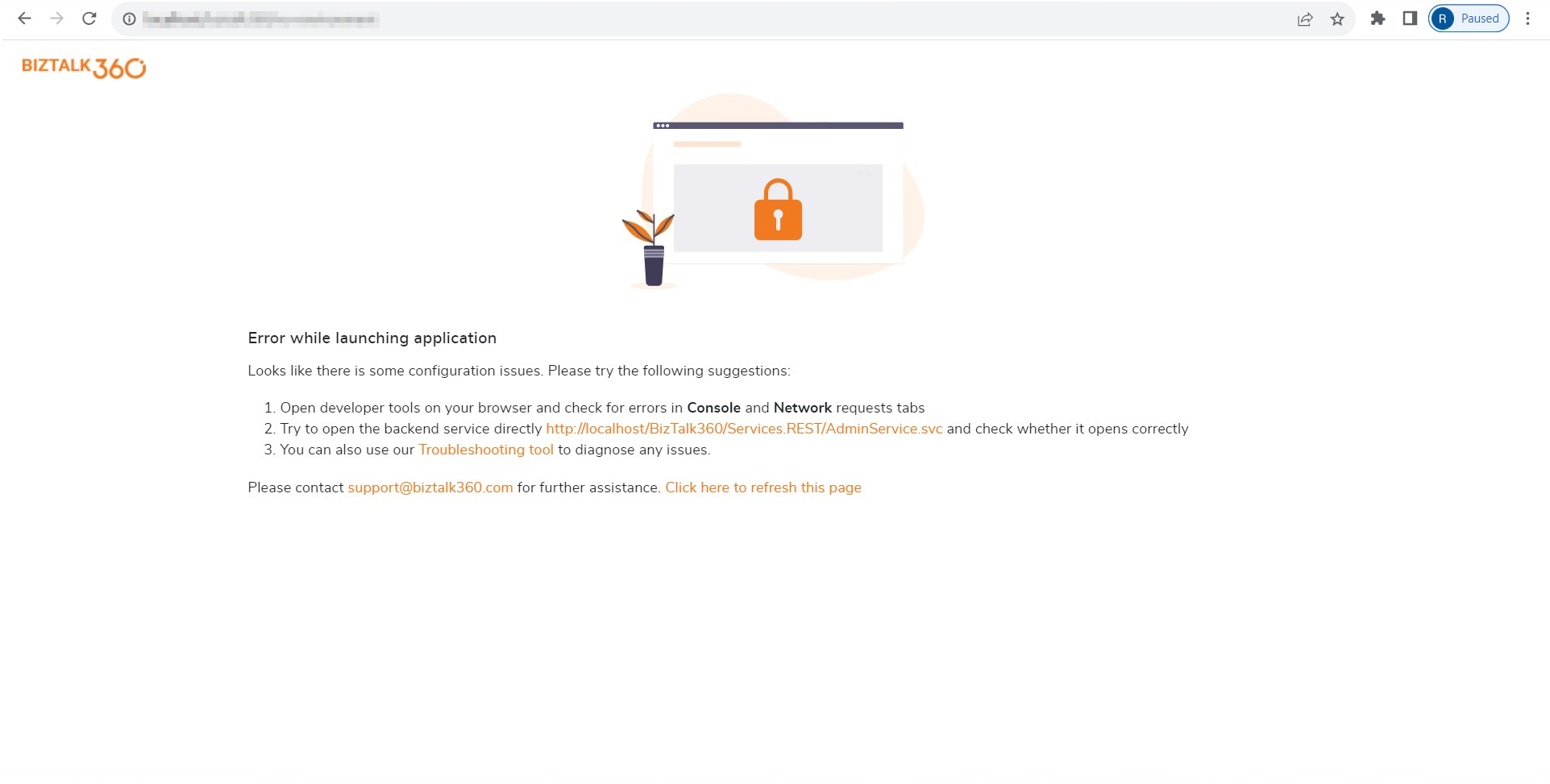
As mentioned before, some of the BizTalk360 code is supported and embedded in the Default website. During the first launch of BizTalk360, by default, it will open in the default path http://localhost/BizTalk360.
For that, we need to open the custom path IIS -> Sites -> Custom website -> BizTalk360 -> Right-click BizTalk360 -> Manage applications -> Browse. Now, it will lead to a custom path http://local/BizTalk360.
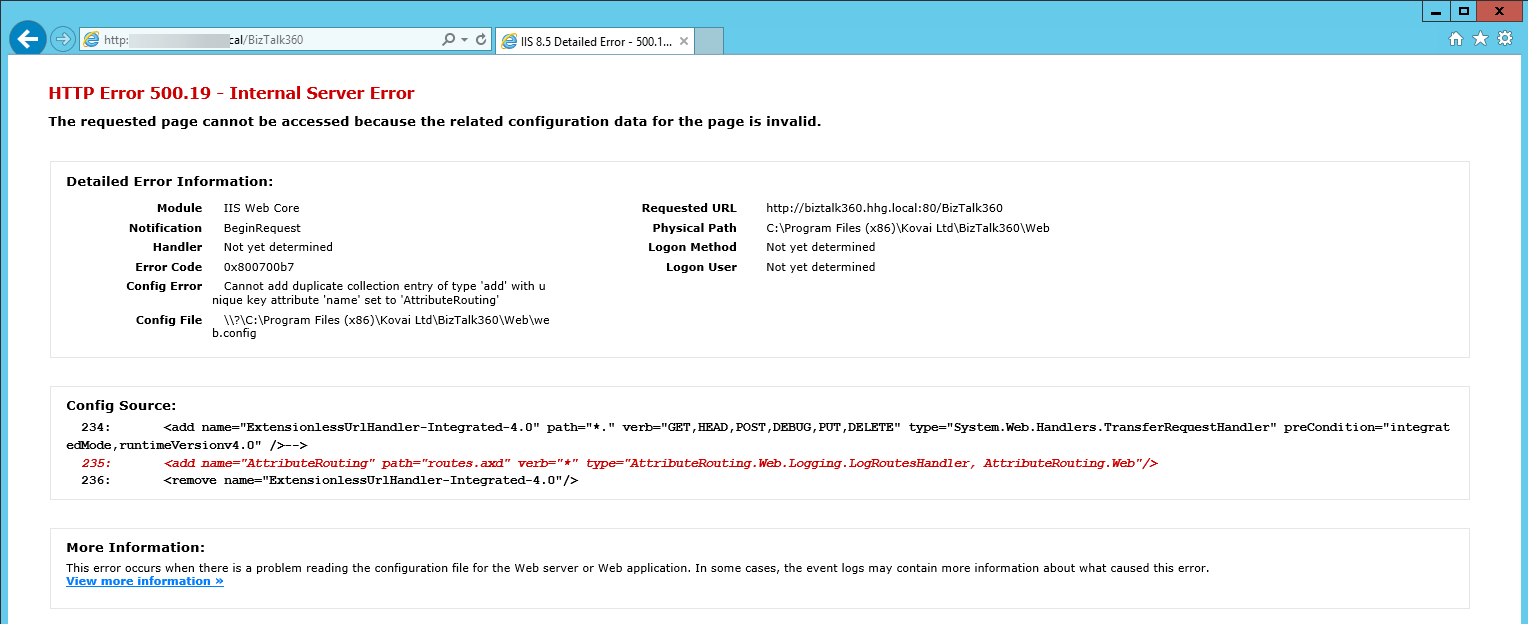
Once after getting the error HTTP Error 500.19 - Internal server error,
Comment the 233rd and 235 line in the file C:\Program Files (x86)\Kovai Ltd\BizTalk360\Web\Web.config and save it.

Once after commenting the line it will lead to another error.
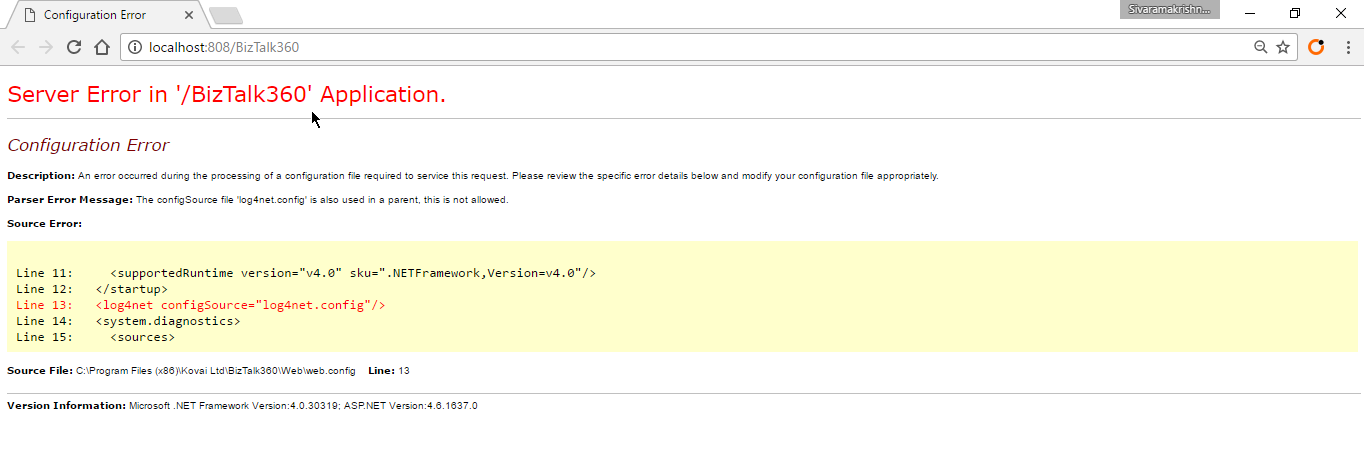
Now comment the 13th line in the file C:\Program Files (x86)\Kovai Ltd\BizTalk360\Web\Web.config and save it. 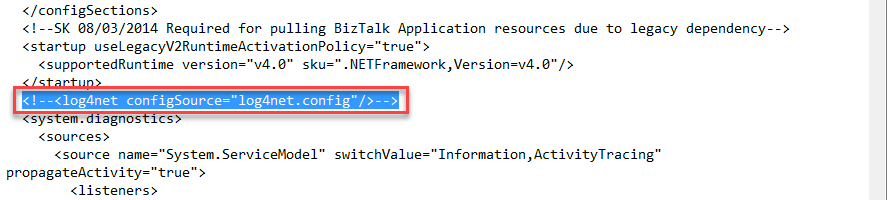
Once after editing and saving, in the configuration file, you need to update the custom website details in the registry as well. 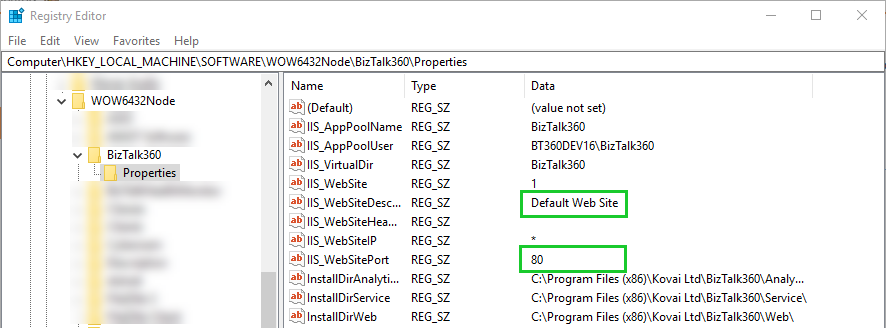
Update the below details
IIS_WebSiteDescription
IIS_WebSitePort
Once after editing, save the registry details and reset/restart the IIS.