This guide outlines the steps required to completely uninstall BizTalk360 from your environment.
Step-by-Step Guide to Uninstall BizTalk360
1. Deactivate the License
Before uninstalling, deactivate your BizTalk360 license to avoid any activation issues during future installations.
- Navigate to BizTalk360 → Settings → General → Licensing
- Click on Deactivate License
Follow the documents for deactivate license with internet connection and deactivate license without internet connection.
2. Uninstall BizTalk360
You can uninstall BizTalk360 using one of the following methods:
Method 1: Uninstall via Control Panel
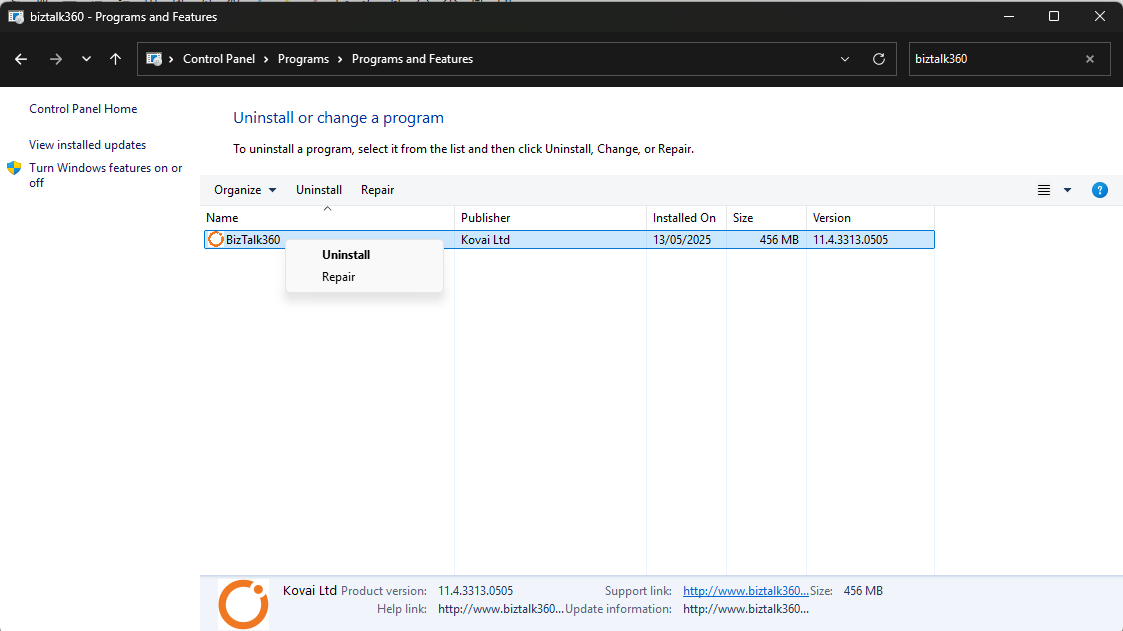
BizTalk360 can be uninstalled like any other software through the Control Panel.
- Open Control Panel → Programs and Features
- Locate BizTalk360 in the list
- Right-click on BizTalk360 and select Uninstall
Method 2: Uninstall using the MSI
If you have the original MSI file used for installation, you can uninstall BizTalk360 through the command line.
- Open Command Prompt as Administrator
- Use the cd command to navigate to the folder containing the BizTalk360 MSI file
- Run the MSI file to launch the setup wizard
- On the welcome screen, proceed to the next step
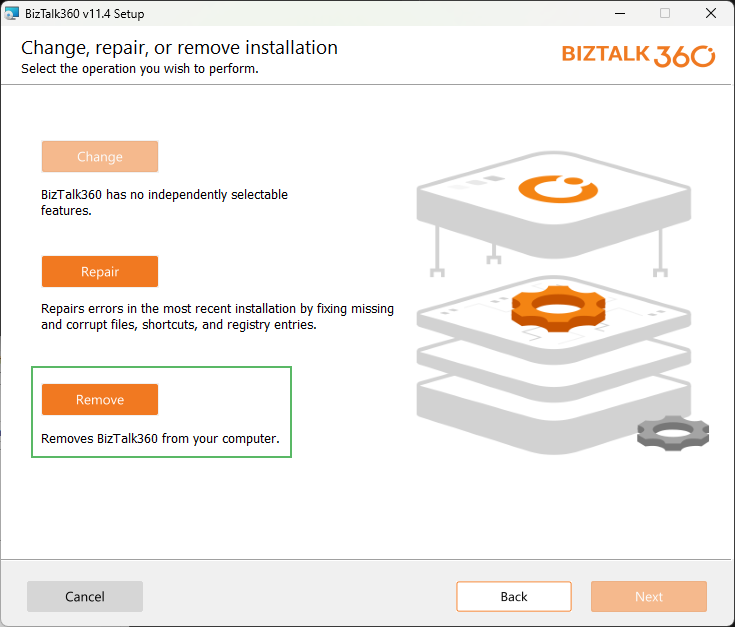
- Select the Remove option and click Next
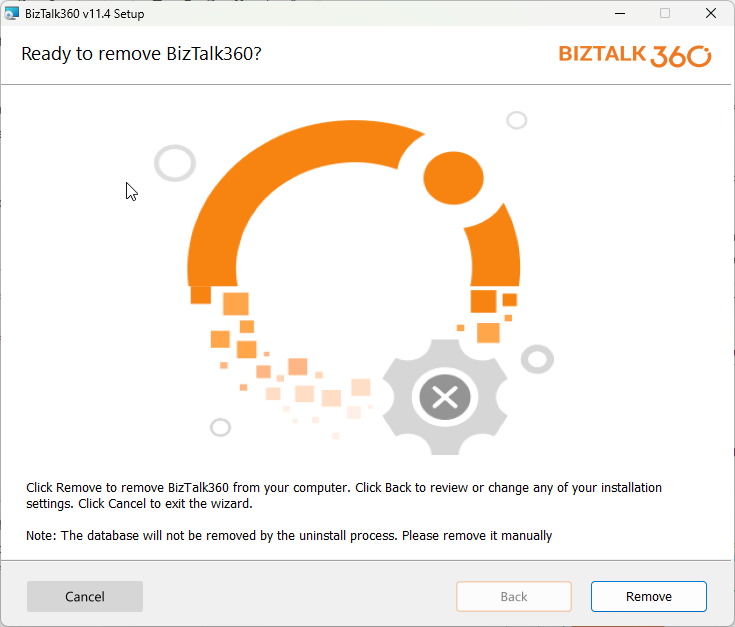
- Confirm the removal by selecting Remove again
Optional: Remove SQL Database
Uninstalling BizTalk360 removes the following components:
- Website and Application Pool
- Monitoring and Analytics Services
However, the BizTalk360 database will remain intact for safety. If you want a complete clean-up:
- Open SQL Server Management Studio (SSMS)
- Connect to your SQL Server instance
- Manually drop the BizTalk360 database
When you drop/delete the BizTalk360 database, this will permanently delete all BizTalk360 configurations and historical data.
Optional: Delete Remaining Folders
To remove leftover files, manually delete the following directory:
C:\Program Files (x86)\Kovai Ltd\BizTalk360
After Uninstallation
- Reboot the server if prompted
- You can now reinstall BizTalk360 or proceed with a newer version installation.