The BizTalk360 Database can be treated as a normal database and as such, you can choose how to backup and which recovery model to use. Including the BizTalk360 database backup in the BizTalk backup is also acceptable.
Please find the steps to take a backup of BizTalk360 Database:
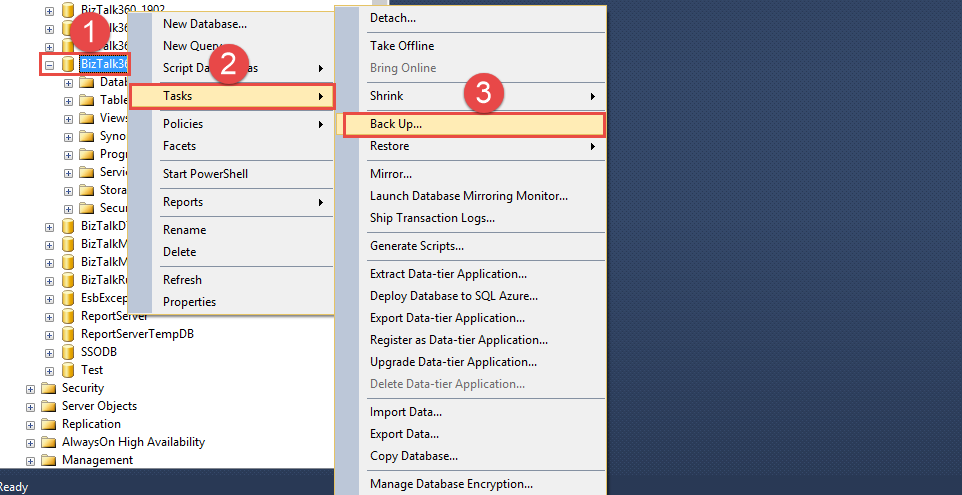
Go to BizTalk360 Database
Select and right click, choose Task and Backup
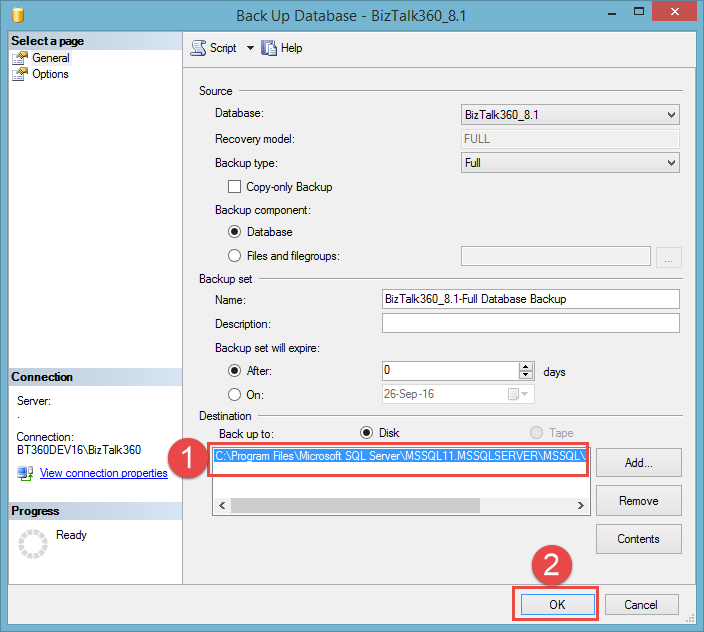
From there a new window will be pop-up
Choose the Destination path where the Backup file needs to be stored
Click OK, the Backup will be taken accordingly