When you encounter the following error “IIS 8.5 Detailed Error- 404.13-Not Found exception” in the BizTalk360 web page, follow the suggestion below:
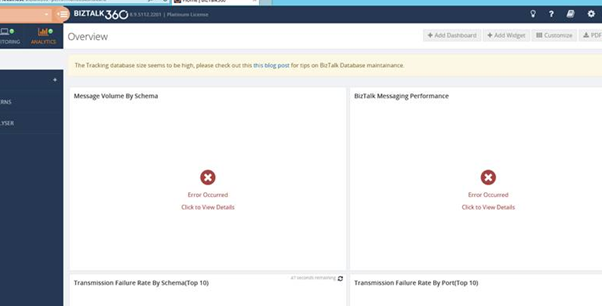
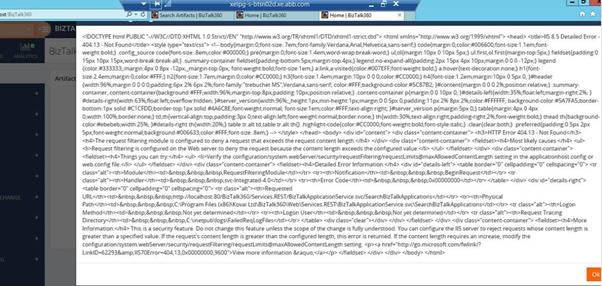
Cause of the problem
This error occurs when the value of “Maximum allowed content length” field differs from the default value 30000000 in IIS. Variation in the value will lead to IIS 8.5 Detailed Error- 404.13-Not Found exception.
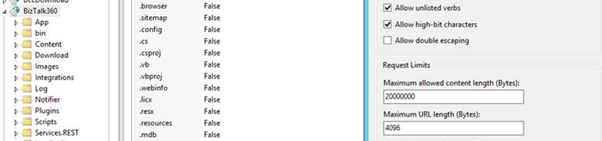
Solution for the problem
Check in the IIS, by clicking on the BizTalk 360 application under the default website and redirect to the following path
BizTalk360 -> Request Filtering -> Edit feature settings (in the right panel):
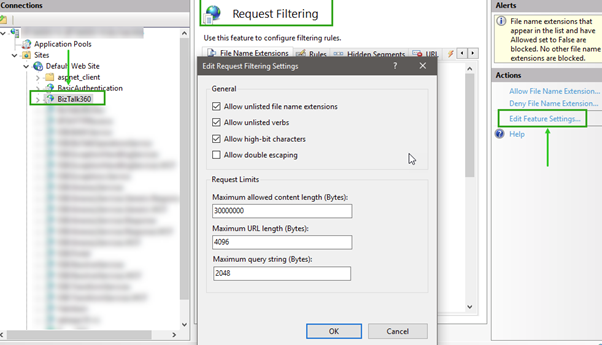
In the Edit feature settings, you can find “Maximum allowed content length” property under the section "Request Limits". Change the value for the property to 30000000 if the default value is different. Save the settings and reset the IIS.