Problem 1: Registry Key Marked for Deletion
You may encounter an error as shown below while accessing the application:
Retrieving the COM class factory for component with CLSID failed due to the following error: 800703fa Illegal operation attempted on a registry key that has been marked for deletion. (Exception from HRESULT: 0x800703FA)
Cause
This issue can occur when BizTalk360 is configured to run under a specific user account.
When the user logs off, Windows may unload the user's profile, including the associated registry keys. If the BizTalk360 application or one of its processes continues to access those registry keys, the application may encounter the 0x800703FA error or the exception below.

Solution
As a workaround, configure Windows not to forcefully unload the user's registry when the user logs off. You can enable the Do not forcefully unload the user registry at user logoff policy.
Follow these steps:
Open Group Policy Editor by running
gpedit.msc.Navigate to:
Computer Configuration → Administrative Templates → System → User ProfilesLocate Do not forcefully unload the user registry at user logoff.
Select Edit Policy Setting.
Change the setting from Not Configured to Enabled.
Apply the changes.
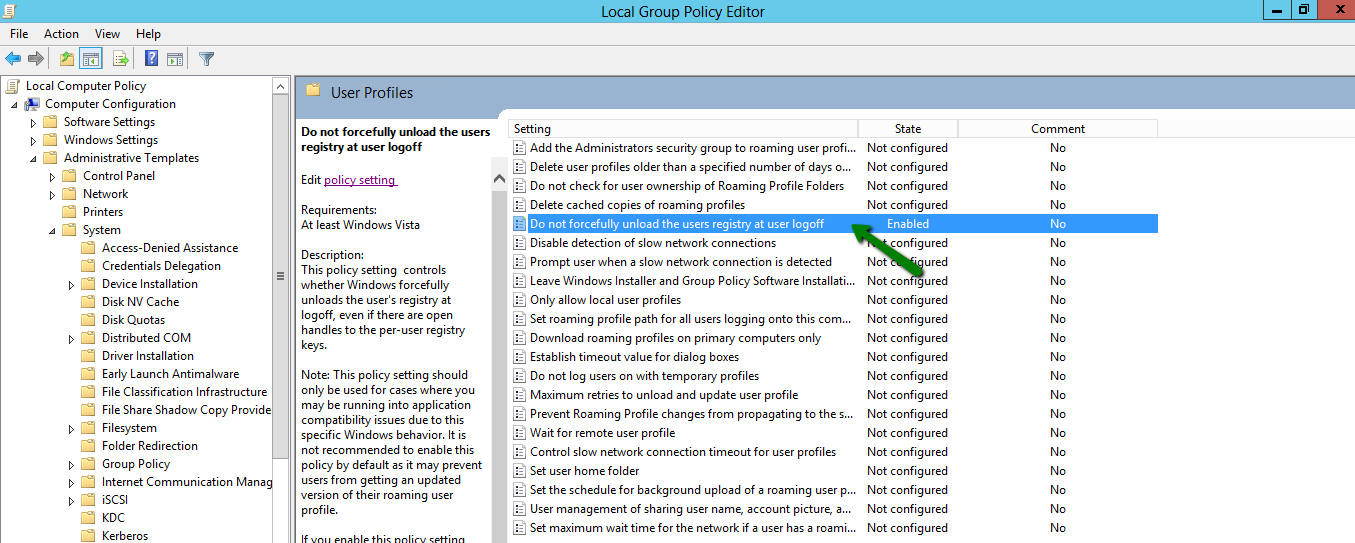
Once enabled, Windows will not forcefully unload the user's registry during logoff and will wait until it confirms that no other processes are using the registry.
This policy adds the DisableForceUnload registry value.
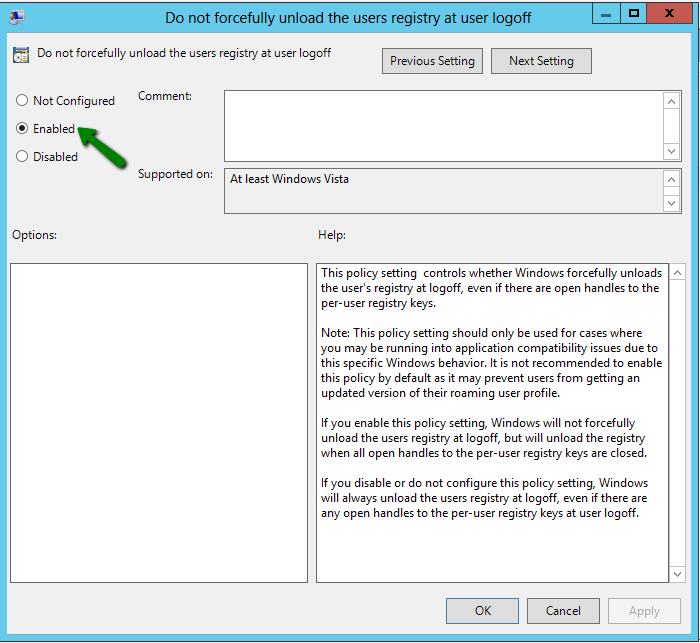
As a standard recovery procedure, perform an IIS reset on the BizTalk360 server after applying the policy change.