Why do you need Dependency files?
BizTalk360 is developed in a way that most of the features in it work without any dependent configurations. However, certain features require third-party files that you need to download separately. It is required for users when they need to download PDF reports and/or trigger email notifications to their respective management about the health of the BizTalk environments. You can configure these dependencies by downloading/copying the dependency file into the C:\Program Files (x86)\Kovai Ltd\BizTalk360\Analytics folder under your BizTalk360 installation.
How to Download and Configure Dependency Files
Follow these steps to configure the dependencies:
- Log in to BizTalk360. Navigate to Settings → Manage Dependencies.
- In the Manage Dependencies screen, you will notice that the dependency files will be in the Not Configured state.
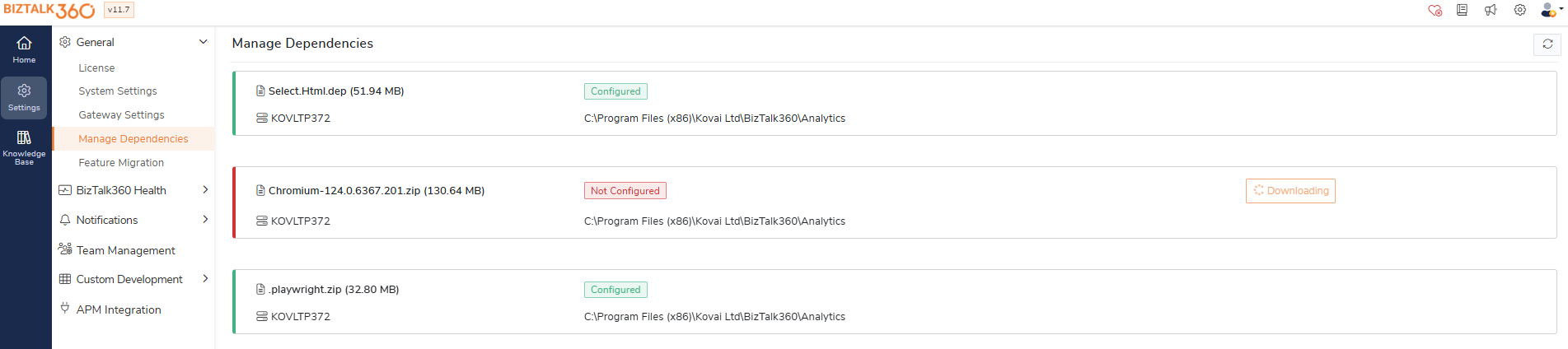
3. Click the Download icon to download the dependency file (Select.Html.dep) and (chromium- 88.0.4324) to the Web Installation folder (usually C:\Program Files (x86)\Kovai Ltd\BizTalk360\Web\Dependencies\Analytics).
4. Once the download is complete, the dependency will be installed, and you will notice the status change from Not Configured to Configured.
Note: Chromium and Playwright file needs to be reconfigured when upgrading from any version older than v11.6.