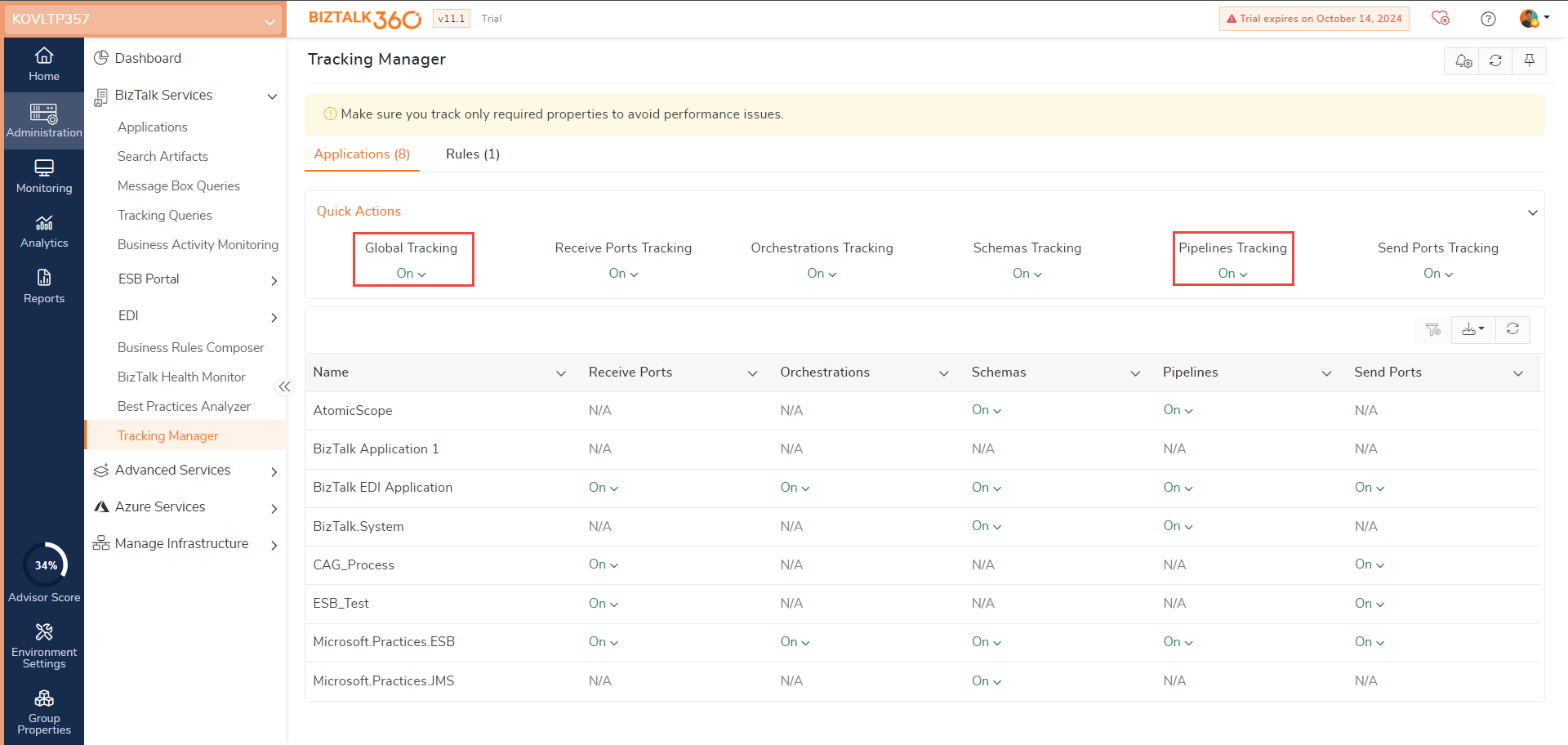
When a Process Monitor (receiving message in a particular time), even though you dropped a file in a receive location, was not shown in the BizTalk360 alert actual count, it might be showing Actual count = 0.
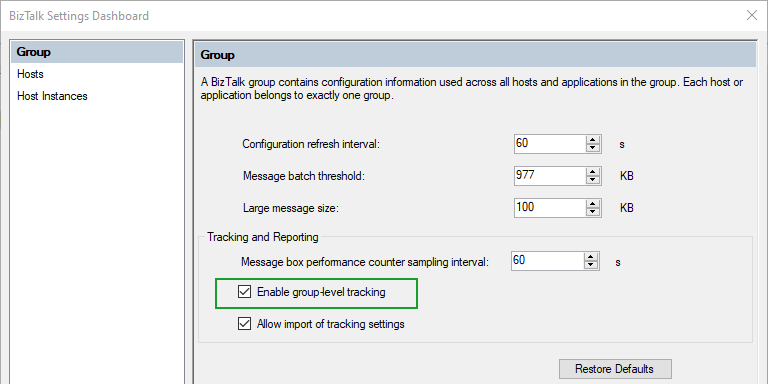
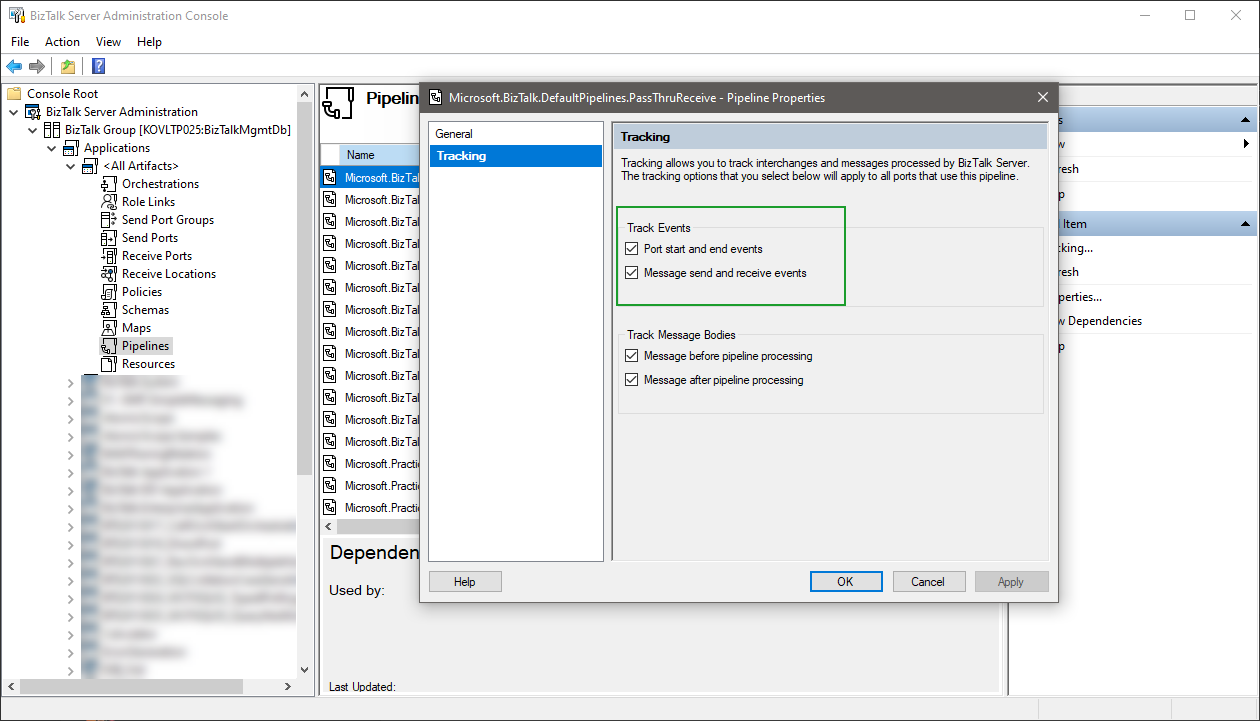
- For this we have to enable the global pipeline level tracking at all artifacts level.
- BizTalk server admin console -> All artifacts -> choose the particular pipeline (for example: particular receive location - that pipeline)
or for your ease, use the Tracking Manager in BizTalk360
From v10.0 and above (Administration -> BizTalk Services -> Tracking Manager)