Release Date: 31st October 2025 .png)
 New features
Integration of BHM Maintenance Tasks: Automate BHM maintenance tasks directly from BizTalk360 using the latest report data. This feature automatically executes recommended BHM maintenance activities such as database cleanup, purging, optimization and receive notifications for any suggested actions.
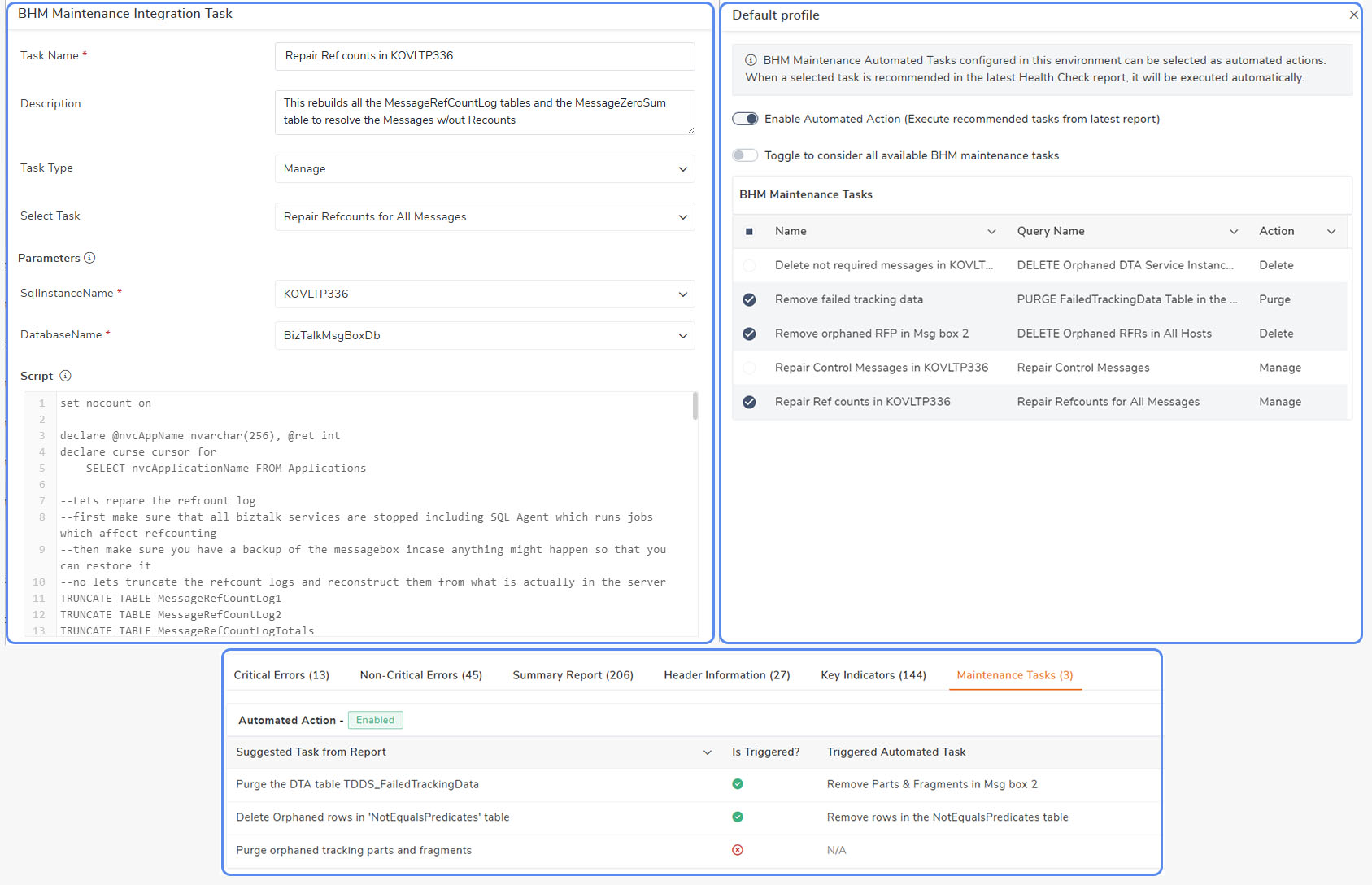
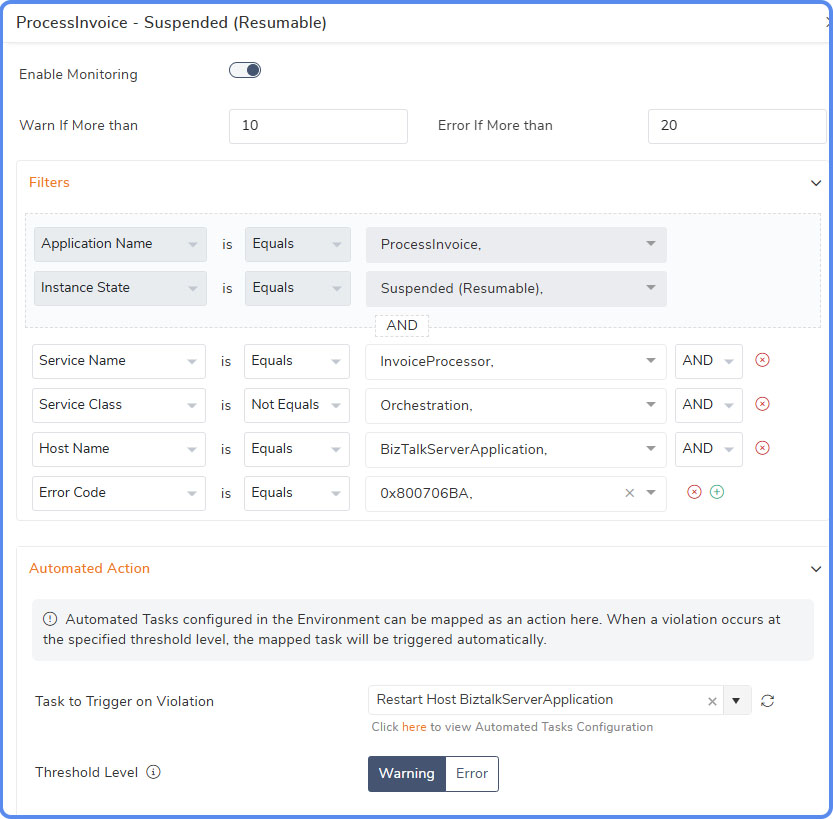
Service Instances Monitoring : Improved rule-based monitoring with advanced filtering for application service instances.Administrators can filter specific instances based on criteria such as service name,host name , error code etc and configure automated actions to be executed on the selected instances, reducing the manual intervention.
BAM Dashboard: Users can now create interactive widgets to the BAM Dashboard. These enhancements provide actionable insights for monitoring and managing key business activities
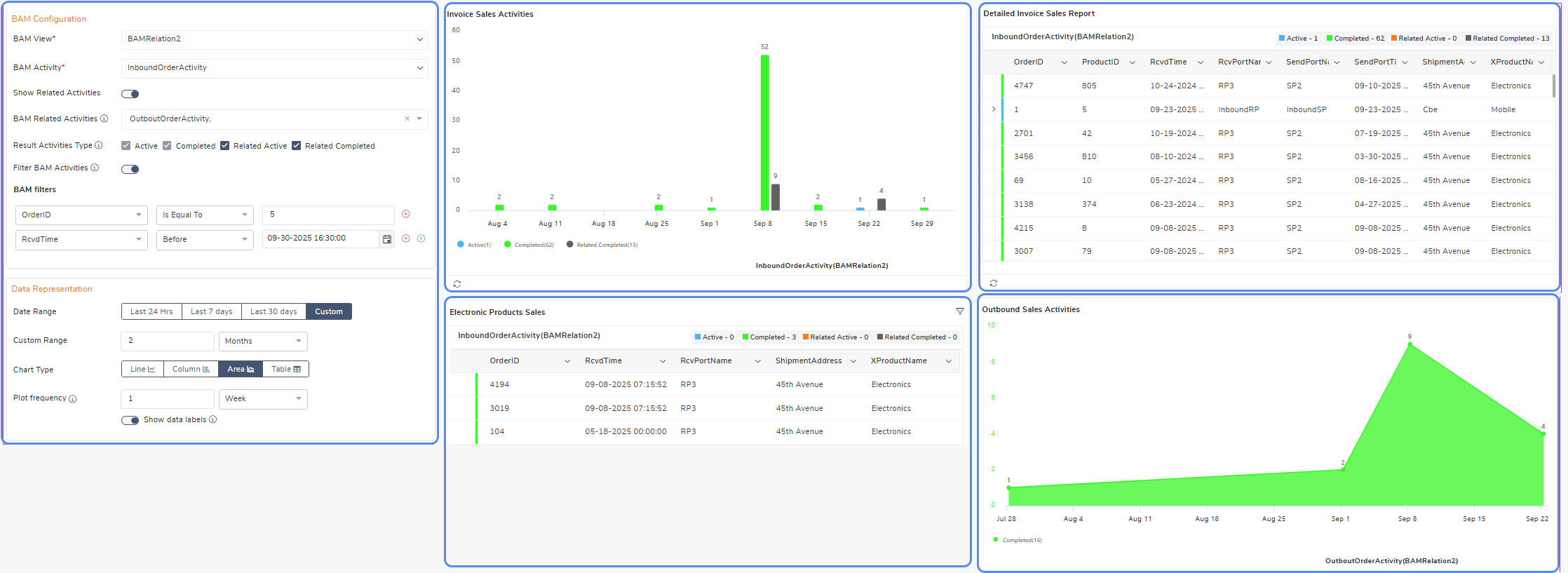
BAM and EDI Dashboards in Reporting: The Reporting module has been enhanced to support EDI and BAM dashboards as part of scheduled reports. This introduces a unified reporting framework that provides consolidated visibility and analysis of BAM activities and EDI transactions
 Enhancements
General
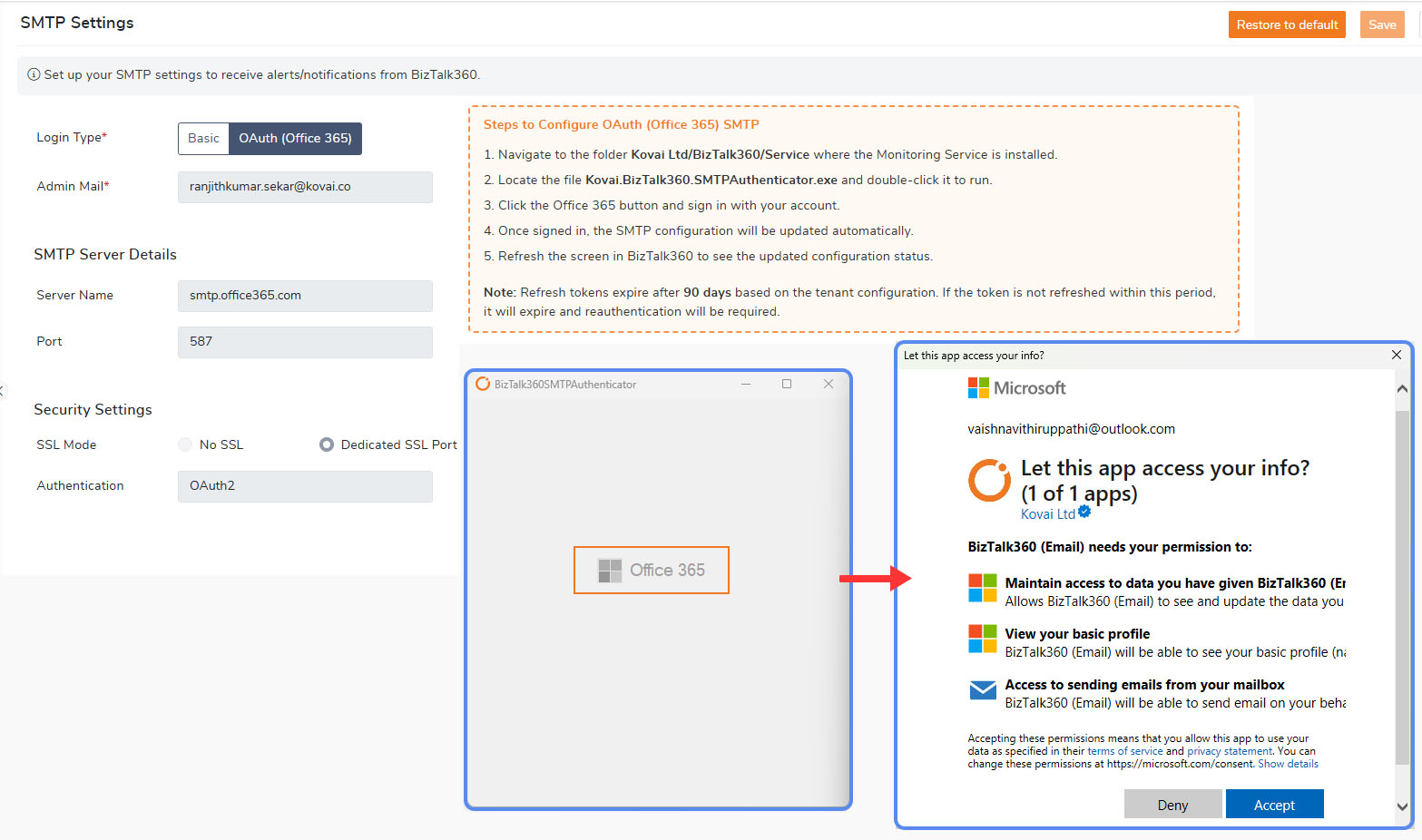
Office 365 Email Integration: Added support for Office 365 OAuth authentication to send emails securely using modern authentication.
Azure Services: Added the ability to filter Resource Groups in subscription settings to monitor, manage, and analyze targeted resources for optimized performance .
Server Availability & Performance: Enhanced server reachability through protocol-specific checks and prerequisite validations, with improved monitoring of key system metrics, services, SQL Server (including ports, cluster, and Always On states), and event logs.
BizTalk Auditing: Improved capture of audit activities to include artifact type and name for status and exception tracking.
Administration
Custom Workflow: Added support to include NT Services ,Logic Apps, IIS APP Pools steps in workflow configurations.
Automated Tasks PowerShell Script: Restart the host instances which are in pending state (Start/Stop Pending) using powershell script
EDI Dashboard Enhancement: Enable creation of new EDI dashboards with support for adding custom widgets tailored to specific EDI transactions.
Quick Alarm Status: Introduced a new widget to display the status of all the active alarms, providing clear visibility and quick insights into alarm conditions.
Monitoring
Tracking Configuration: granular control over tracking options across artifact types. For example, users can now apply Request Before tracking to all Receive Ports without enabling full message body tracking by default
Server Availability Monitoring: Enhanced Server Availability Monitoring with Automated Task integration to trigger custom scripts or predefined actions automatically when availability violations occur
Alarm Mapping Optimization: Added an option to auto-remove orphaned alarm mappings based on user-defined settings, ensuring cleaner configuration and maintaining accurate alarm-to-entity associations
Message Box Data Monitoring: Expanded notification controls to suppress alerts when actions are taken on suspended service instances, similar to the option for successful runs
Analytics
Analytics Performance Widget: Enhanced the Message Box DB Disk Usage widget with support for selecting multiple databases, enabling clearer visualization and deeper insights into database utilization and performance trends.
.png) Bug fixes
Bug fixes
The following issues have been addressed in this release:
General
Security Advisories: Addressed the 2 API security issues in this version. For details check the security advisories
Environment Configuration- Fixed an issue where an empty environment entry appeared when the SQL Instance name was not specified.
UI Consistency: Ensured consistent width for the checkbox selection column across all sections.
Gateway Proxy Settings: The domain name field is now disabled when the “Use default credentials” option is selected.
Administration
Host Instance Automation: Resolved an issue where automated task auditing failed due to character length restrictions in the Username column.
Monitoring
Create Mail Subservice: Resolved a “Resource Deadlock” exception that occurred while determining the monitoring status.
File Location Monitoring: Resolved file count discrepancies between wildcard and exact filename patterns.
MSMQ Monitoring: Handled the “Access Denied” error that occurred when removing orphaned MSMQ results.
ESB Data Monitoring: Resolved an issue where determining ESB schedule status caused locks on the fault table.
SQL Server Configuration: Fixed a scenario where a standalone server was incorrectly marked as a cluster server in Windows Server configuration.
Data Monitoring: Resolved an issue where invalid characters in Message Box results caused SMTP channel failures.
Analytics
Tracking Data Collection: Resolved an issue where metrics were not displayed due to an invalid table schema.
11.6.3963.2611 (BizTalk Server 2020 CU7 Support)
BizTalk Server 2020 CU7 Support - BizTalk360 is now fully compatible with BizTalk Server 2020 CU7.
API Security Fixes
DownloadAttachment – Server Coercion: Removed the insecure server parameter from the API and now fetch the server name securely from the database.
DownloadAttachment – Directory Traversal: Sanitized the featureName parameter to block path traversal; only valid feature names are allowed.
ValidateNotificationChannel: Implemented strict validation on the dllName parameter to prevent directory traversal using ..\ patterns.