Release Date: 4th November 2026
Important Updates
📥 Upgrading to BizTalk360 v12.0
Upgrading from any 11.x version: You can upgrade directly to BizTalk360 v12.0 in a single step. No intermediate versions are required.
Upgrading from a version earlier than 11.0: A two-step upgrade is required:
Upgrade your existing BizTalk360 installation to v11.8.
Once the upgrade to v11.8 is complete, upgrade to v12.0.
📦 Software Package
Front End: Upgraded the Angular framework and related client-side packages to Angular 22. Kendo UI packages are upgraded to the latest version.
.NET Framework Support: Updated the minimum supported .NET Framework version from 4.6.1 to 4.6.2, along with its dependent packages.
Installer: Upgraded the installer to WiX v7.0. Enhanced installation logging with separate Main and Debug logs to simplify installation and troubleshooting.
🎨 UI/UX Improvements
Actionable Insights: Display proactive recommendations on the Landing Page to help identify and resolve critical issues across Monitoring, Analytics, and Database Maintenance services.
System Settings Experience: Redesigned the System Settings interface with improved organization, contextual guidance, and clearer configuration insights.
Health Status Enhancements: Improved the Health Status section with better grouping and categorization for better visibility .
Grid Row Pinning: Added the ability to pin important rows to the top of grids for quick access, simplifying service instance troubleshooting and other operational activities.
User Info: Display the logged-in user's name in the top bar and provide visibility into their feature access permissions through the user menu.
New Features
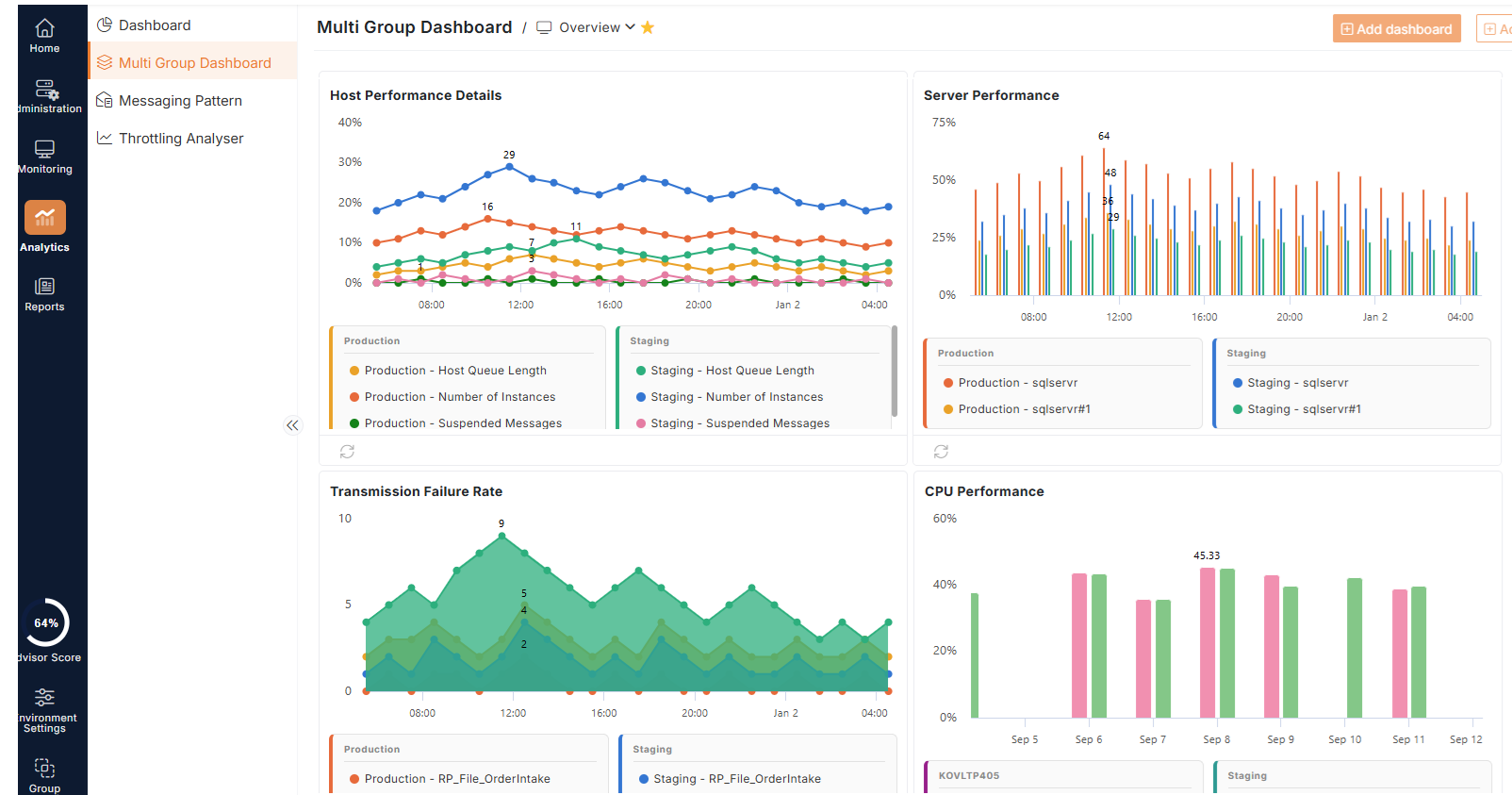
1Multi-Group Analytics Dashboard
Introduced a new unified dashboard to view and analyze Server Performance and Message Performance insights across multiple BizTalk Groups in a single view. Provides centralized visibility into performance trends, making cross-group analysis easier and more efficient.
2Azure Standard Logic Apps and Workflows support
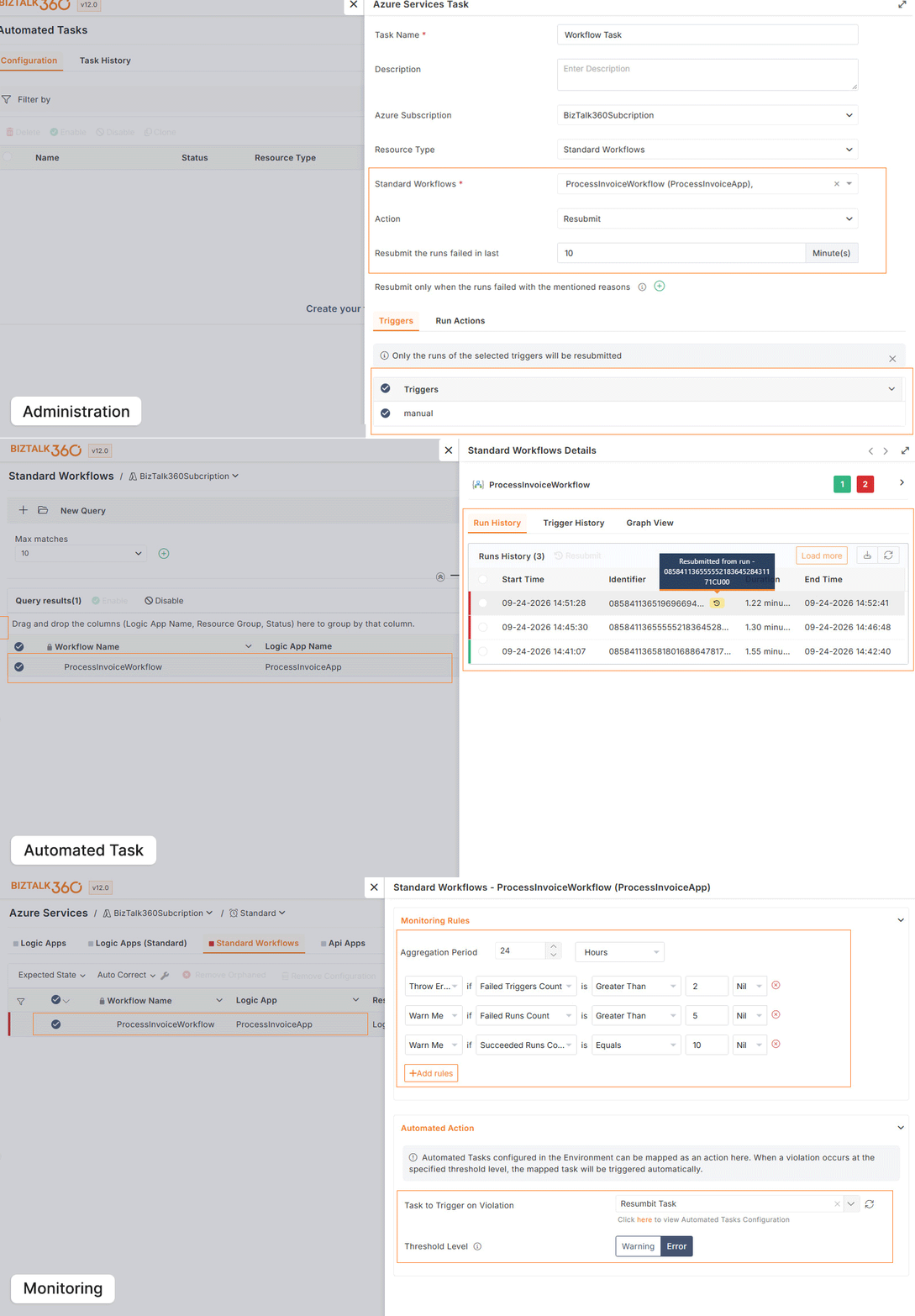
Administration: Added support for managing Azure Standard Logic Apps and their workflows, including workflow resubmission and analytical views with detailed trigger history.
Automated Tasks: Added the ability to execute Standard Logic App workflows as Automated Tasks, enabling seamless workflow execution as part of automation.
Monitoring: Monitor Standard Logic App workflow states and threshold metrics, including Failed Trigger Count, Failed Run Count, and Succeeded Run Count, with support for automated actions
3SQL Server Availability Monitoring
SQL Server Cluster: Monitor active node switches in SQL Server Cluster instances. Configure a preferred node, and get alerts when a failover changes the active node or when the preferred node is no longer active.
.jpg)
SQL Server Always On: Monitor primary replica switches for Always On Availability Groups. Configure a preferred replica, and get alerts when the primary replica changes or when the preferred replica is no longer primary.
.jpg)
Note: After you upgrade to v12.0, the Alert When option is set for each cluster or availability group individually and no longer applies to standalone servers. It defaults to All Nodes Down for all clusters and availability groups, so review it and change it to suit your monitoring requirements.
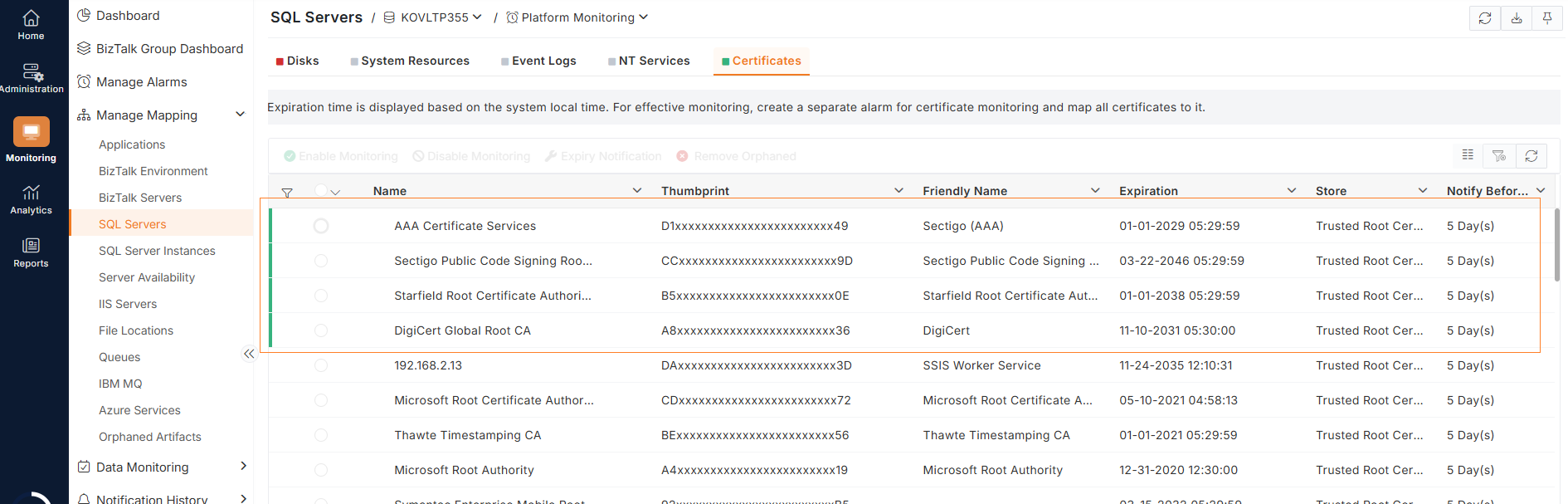
4SQL Server Certificate Monitoring
Monitor the expiry dates of SQL Server certificates, and get alerts before a certificate expires. Set how many days in advance to be alerted, so you have time to renew certificates before they disrupt connections.
⚡Enhancements
General
Administration
Monitoring
🛠️ Bug Fixes
Administration
Monitoring