**BizTalk360 Prompts For Login Credentials When I Click Settings
There may be times when you notice BizTalk360 requesting for login credentials as shown below.
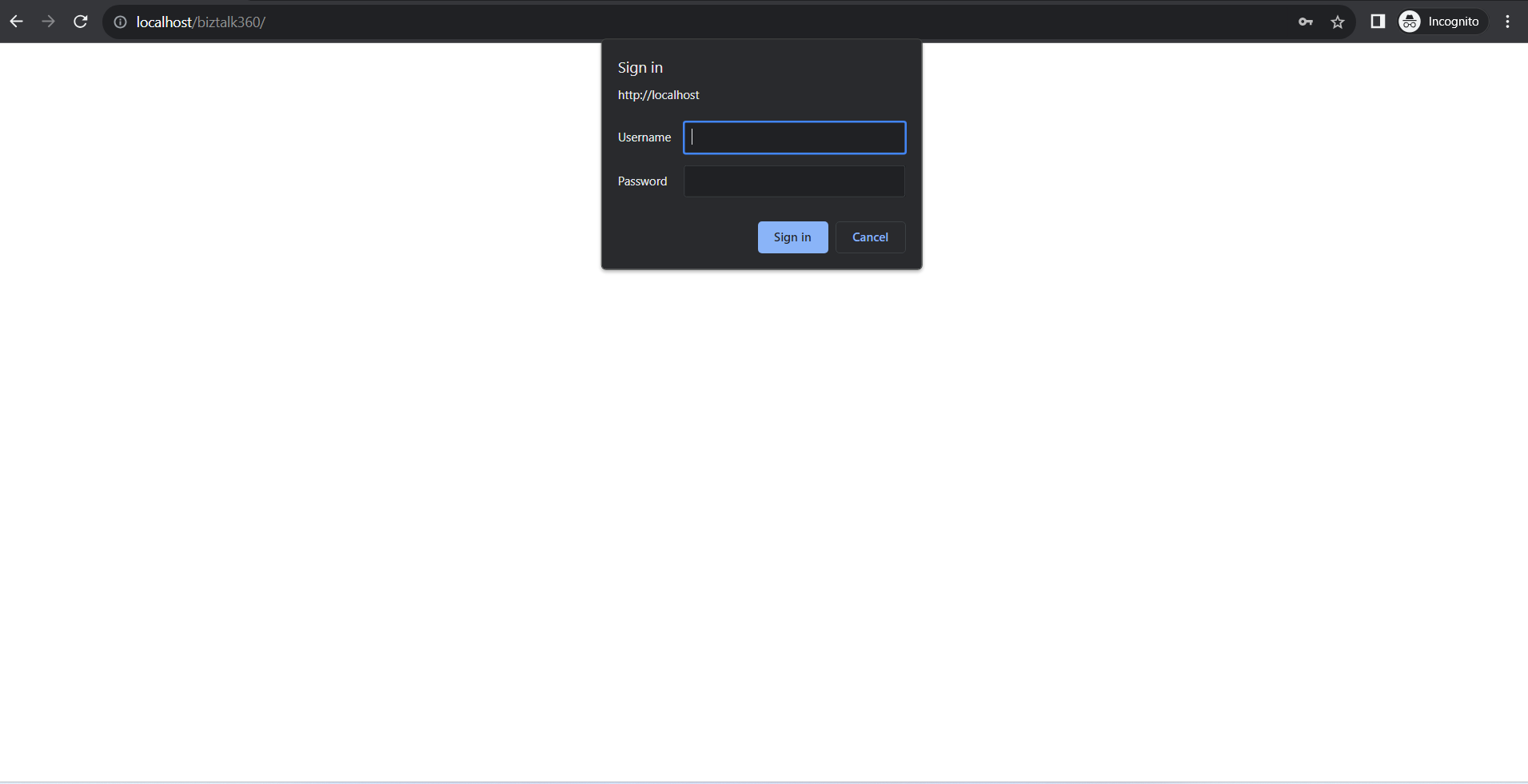
This error occurs mainly due to the "Anonymous Authentication" set as Enabled under IIS settings. **
Follow the steps as shown below to rectify this problem:
Open IIS Manager
Navigate to "Authentication" setting
Toggle the status of "Anonymous Authentication" to Disabled
Refresh the BizTalk360 Settings page
Error Type: This collection already contains an address with scheme http. There can be at most one address per scheme in this collection
One of our customer recently reported this error after installation of BizTalk360
Server Error in '/BizTalk360' Application.
This collection already contains an address with scheme http. There can be at most one address per scheme in this collection.
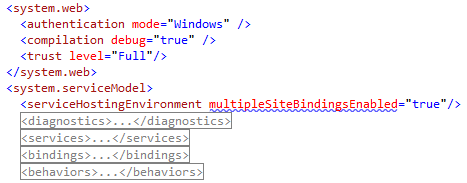
If your service is being hosted in IIS you can fix the problem by setting 'system.serviceModel/serviceHostingEnvironment/multipleSiteBindingsEnabled' to true or specifying 'system.serviceModel/serviceHostingEnvironment/baseAddressPrefixFilters'.
Parameter name: item
Description: An unhandled exception occurred during the execution of the current web request. Please review the stack trace for more information about the error and where it originated in the code.
Exception Details: System.ArgumentException: This collection already contains an address with scheme http. There can be at most one address per scheme in this collection. If your service is being hosted in IIS you can fix the problem by setting 'system.serviceModel/serviceHostingEnvironment/multipleSiteBindingsEnabled' to true or specifying 'system.serviceModel/serviceHostingEnvironment/baseAddressPrefixFilters'. Parameter name: item
Reason:
The main reason for this exception is due to multiple bindings enabled for the the IIS website under which BizTalk360 is installed. You can check this easily by seeing the right hand side pane as shown below:
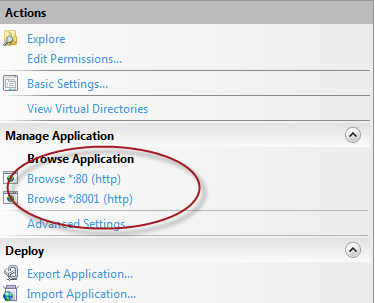
There are couple of ways we can sort this issue:
Solution #1:
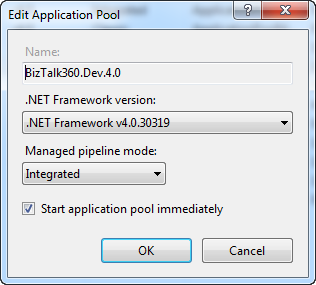
If ASP.NET 4.0 is installed on the server, you can change the BizTalk360 IIS Application pool to use ASP.NET 4.0 as shown in the below picture:
And you can add the following line to the Web.Config file
Solution #2:
If in case you don't have ASP.NET 4.0 running in the server, then your second option is to create a dedicated website for BizTalk360 with a custom port number (ex: 90) and install BizTalk360 in the dedicated website instead of the default website.
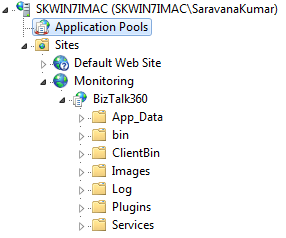
You must create the website manually before starting the BizTalk360 installer. The installer will display the options in the drop down box to choose the website.